
If you’re looking for WP Engine alternatives, you’re probably dealing with high monthly bills, plugin restrictions, or expensive overage charges. Many WordPress users are now searching for better options that offer great speed, reliability, and more freedom at a fair price.
WP Engine is good for big enterprise sites, but it’s not the best fit for everyone in 2026.
In this guide, I’ll share the top 5 alternatives with honest reviews, real pros and cons, updated pricing, and clear recommendations based on your needs and budget.
Whether you want premium performance, maximum savings, or something in between, you’ll find the right host here.
Let’s get started.
Quick Comparison Table of Top 5 WP Engine Alternatives
| Feature | Kinsta | Pressable | Cloudways | Rocket.net | Hostinger Cloud |
|---|---|---|---|---|---|
| Starting Price (Promo) | $35/mo ($30 annual) | $20.83/mo ($25 annual) | $11/mo | $30/mo ($25 annual) | $7.99/mo (for 48 months) (renews at $25.99) |
| Infrastructure | Powerful Cloud Infrastructure | Automattic WP Cloud | DO, AWS, Vultr, GCP, Linode | Cloudflare Enterprise Edge Network | Managed Cloud Infrastructure |
| Best For | Premium performance & agencies | Agencies & maximum uptime | Developers & flexible scaling | Speed-focused sites & WooCommerce | Growing sites on a budget |
| Websites | 1 | 1 | Unlimited | 1 | 100 |
| Monthly Visits | 35,000 | 30,000 | Unlimited | Unmetered | No strict low limit |
| Storage | 10 GB SSD | 20 GB SSD | 25 GB NVMe | 10 GB SSD | 100 GB NVMe |
| Bandwidth / CDN | 125 GB CDN 20 GB Server | Edge Cache | 1 TB | Enterprise CDN | Hostinger’s CDN |
| Uptime Guarantee | 99.99% Uptime SLA | 100% Uptime SLA | 99.99% Uptime | 99.99% Uptime | 99.9% Uptime |
| Money back Guarantee | 30 Days | 30 Days | 3 Days free trial | 30 Days | 30 Days |
| Backups | Daily (14 – 30 Days) | Hourly + Daily (30 Days) | Automated + on-demand | Daily (14 days) | Daily / Weekly (7 days) |
| Staging | Free one-click | Yes (advanced) | Free Advanced Staging | Yes | Yes |
| Support | 24/7 chat | 24/7 chat | 24/7 chat | 24/7 chat | 24/7 chat |
| Free Migrations | Yes (by expert) | Yes (by expert) | Yes (by expert) | Yes (by expert) | Yes (by expert) |
| Overage Visit | $0.50/1000 visits | $1.2/1000 visits | Pay-as-you-go (very flexible) | $1.0/1000 visits | Easy upgrade |
| Developer Friendly | Excellent | Very Good | Excellent | Very Good | Good |
Why Consider WP Engine Alternatives?
WP Engine is still one of the most well-known managed WordPress hosting providers, especially for larger businesses and enterprise sites. It offers solid performance, good security, and reliable support. However, it’s not the perfect fit for everyone and in 2026, many site owners and agencies are actively exploring alternatives.
Here are the most common reasons people look for WP Engine alternatives:
1. High Pricing & Overage Fees
WP Engine’s pricing can get expensive quickly. While the base plans start reasonably, many users get surprised by overage charges (often $2 per 1,000 extra monthly visitors). For growing sites or stores with traffic spikes, this can significantly increase the monthly bill. Many alternatives offer more predictable pricing or higher included limits at a lower overall cost.
2. Plugin & Theme Restrictions
WP Engine maintains a list of disallowed plugins and themes for performance and security reasons. While this helps stability, it can be frustrating if you rely on specific tools (especially advanced caching, security, or backup plugins). Most alternatives are much more flexible and allow almost any plugin.
3. Resource Limits & Scaling Costs
Many users report hitting resource limits (CPU, PHP workers, etc.) even on higher plans, which forces them to upgrade. Scaling on WP Engine can become costly. Alternatives like Cloudways (pay-as-you-go) or Hostinger Cloud often give you more resources and easier, more affordable scaling options.
4. Limited Developer Freedom
WP Engine is quite locked down. You don’t get full root access, and some advanced configurations are restricted. Developers and agencies who want more control over their server environment often prefer platforms like Cloudways or self-managed options on top of cloud providers.
5. Better Value Elsewhere
In 2026, several hosts deliver comparable or better performance at noticeably lower prices. Whether it’s faster edge caching (Rocket.net), 100% uptime guarantees (Pressable), or simply more resources for less money (Hostinger Cloud), many users find they can get better value without sacrificing reliability.
Who Should Consider Switching?
You might benefit from switching if:
- Your monthly bill keeps increasing due to overages
- You want to use plugins that WP Engine restricts
- You need more predictable or lower long-term costs
- You’re a developer or agency wanting more control
- You’re running a WooCommerce store or high-traffic site and want better price-to-performance ratio
Note: If you’re running a large enterprise site, value white-glove support, and don’t mind paying a premium, WP Engine can still be a great choice. But for most bloggers, small-to-medium businesses, growing stores, and agencies, there are now stronger alternatives available.
If it’s mainly the price that’s putting you off WP Engine, check the latest WP Engine offers before moving to an alternative.
5 Best WP Engine Alternatives in 2026
1. Kinsta
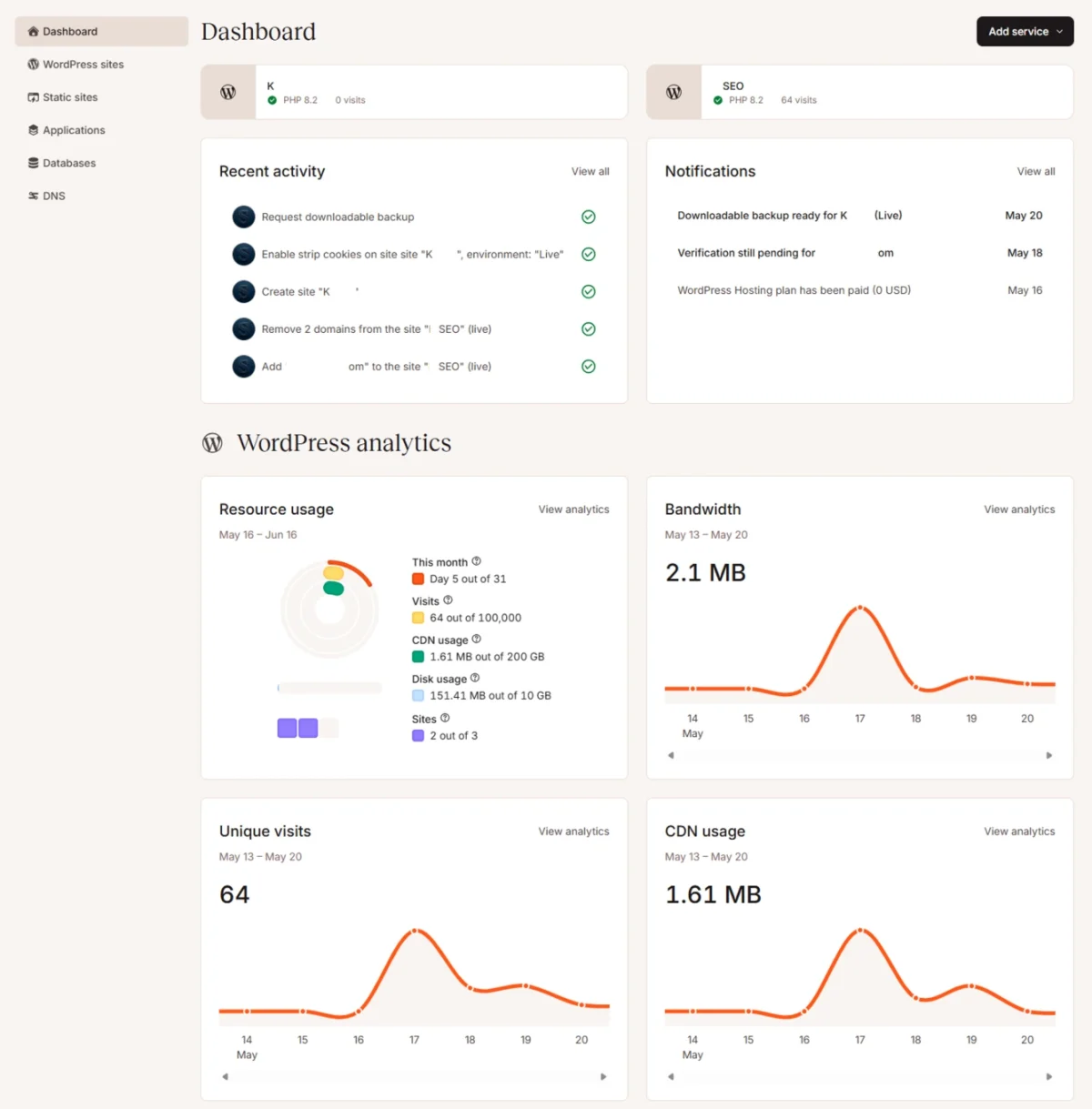
Kinsta is one of the most popular premium managed WordPress hosting providers and a strong alternative to WP Engine. It is built on a powerful cloud infrastructure and is known for delivering excellent speed, reliability, and a smooth developer experience.
Many users switch to Kinsta from WP Engine because it offers better performance, more transparent pricing, and fewer restrictions while maintaining high-quality managed hosting.
Key Features
- Runs on Powerful Cloud Infrastructure with high-performance servers
- Built-in CDN with edge caching for fast global delivery
- Free one-click staging environments
- Advanced Application Performance Monitoring (APM) tool
- Daily automatic backups with 14–30 days retention
- Strong security features including managed firewall
- Excellent developer tools and team collaboration features
- 24/7 expert human support
- Unlimited free migrations handled by their migration team
Pros
- Excellent speed and consistent performance
- Very developer-friendly with powerful tools and staging
- Clean and modern dashboard
- Strong security and automatic optimizations
- Knowledgeable and responsive support team
- More flexible than WP Engine with fewer plugin restrictions
- Transparent pricing with no hidden upsells
- 30 Days money back guarantee
Cons
- Higher starting price compared to budget-friendly alternatives
- Entry-level plans have lower visit allowances
- Not ideal if you’re looking for the cheapest option
- Some advanced features are limited to higher-tier plans
Pricing
Kinsta starts at $35 per month ($30/month when billed annually).
The popular entry-level plan includes:
- 1 website
- 35,000 monthly visits
- 10 GB storage
- 125 GB CDN bandwidth
They also offer multi-site plans. Annual billing gives you two months free, and they frequently run promotions (such as the first month free).
Best for
Kinsta is best suited for:
- Growing blogs, business websites, and online stores that need strong performance
- Developers and agencies who want excellent staging tools and developer features
- Users who want premium managed hosting with better value than WP Engine
- Sites that are currently facing high overage fees or plugin limitations on WP Engine
For a more detailed head-to-head analysis, you can read our full WP Engine vs Kinsta comparison.
2. Pressable

Pressable is a premium managed WordPress hosting provider powered by Automattic WP Cloud (the same company behind WordPress.com and WooCommerce). It is especially popular among agencies and professional WordPress developers who need reliable performance, excellent uptime, and smooth site management.
Many users consider Pressable as a strong WP Engine alternative because it offers a 100% uptime guarantee, better pricing transparency, and fewer restrictions while maintaining high-quality managed hosting.
Key Features
- Built on Automattic WP Cloud infrastructure
- 100% Uptime SLA (one of the strongest guarantees in the industry)
- Advanced edge caching and OPcache
- Hourly + daily automatic backups with 30 days retention
- Free expert migrations
- Advanced staging environments
- Strong security with Jetpack integration
- Auto-scaling capabilities
- 24/7 expert WordPress support
- Health & performance monitoring reports
Pros
- Excellent 100% uptime guarantee
- Very good performance with edge caching
- Agency-friendly features and workflows
- Hourly backups (more frequent than most hosts)
- Clean and easy-to-use dashboard
- Good developer tools and staging
- Transparent overage pricing
- 30 Days money back guarantee
Cons
- Overage charges can add up if your traffic grows quickly ($1.20 per 1,000 extra visits)
- Entry-level plans have relatively low visit limits
- Not the cheapest option for small personal sites
- Fewer global data centers compared to some competitors
Pricing
Pressable starts at $20.83 per month when billed annually (roughly $25/month).
Their popular Signature 1 plan includes:
- 1 website
- Up to 30,000 monthly visits
- 20 GB storage
Higher plans (Signature 2, 3, etc.) increase the number of sites, visits, and storage. They also offer Premium Site plans for high-traffic or enterprise needs. Annual billing is required to get the best rates.
Best for
Pressable is best suited for:
- Web design agencies and freelancers managing client sites
- Users who prioritize maximum uptime and reliability
- Growing websites that need frequent backups and good performance
- People looking for a strong WP Engine alternative with better uptime guarantees
If you want to see how Pressable compares with WP Engine in detail, check out our WP Engine vs Pressable comparison.
3. Cloudways
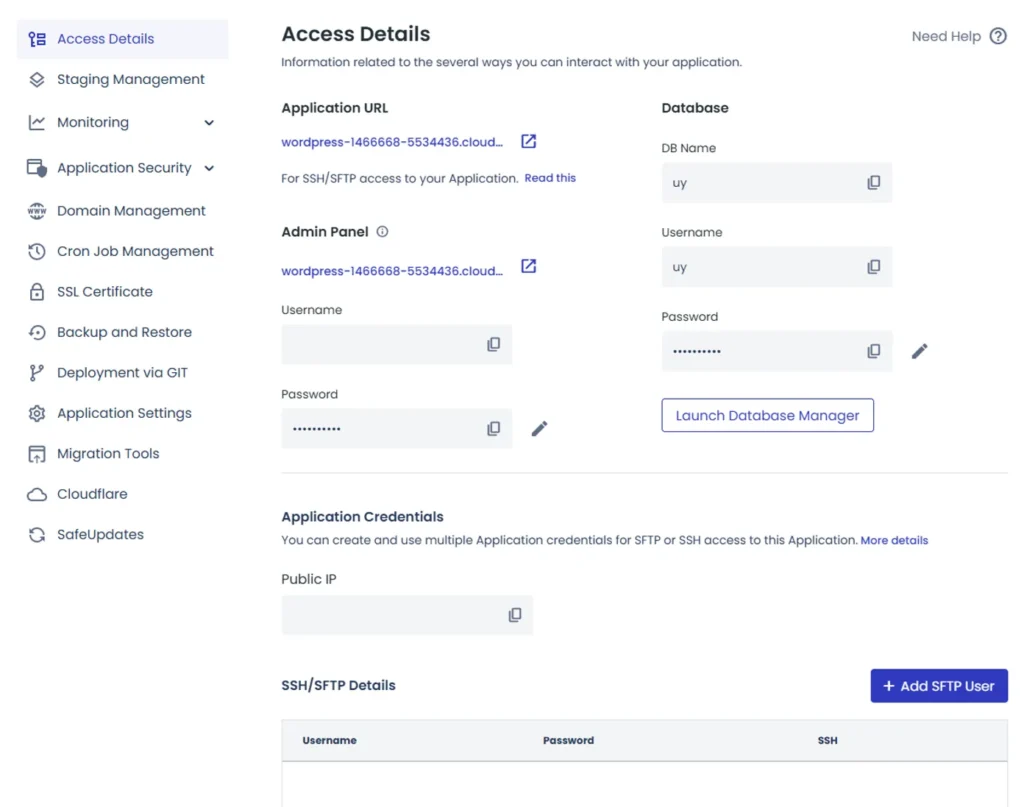
Cloudways is a managed cloud hosting platform that stands out as one of the most flexible and developer-friendly WP Engine alternatives. Instead of traditional shared or managed hosting, it lets you choose from top cloud providers like DigitalOcean, AWS, Vultr, Google Cloud, and Linode, while handling the server management for you.
It is especially popular among developers, agencies, and growing businesses that want more control, better scalability, and predictable pricing without the restrictions often found on WP Engine.
Key Features
- Choose from multiple cloud providers (DigitalOcean, AWS, Vultr, Google Cloud, Linode)
- Pay-as-you-go pricing model
- Unlimited websites and unlimited visits
- Free advanced staging and cloning
- Built-in caching (including Object Cache Pro on higher plans)
- Automated + on-demand backups
- 24/7 expert support with optional priority add-on
- Easy vertical scaling
- Strong security with server-level firewall
- Free SSL and easy DNS management
Pros
- Highly flexible with multi-cloud options
- Excellent for developers (more control than traditional managed hosts)
- Pay-as-you-go model — only pay for what you use
- Unlimited websites and traffic on all plans
- Very good performance and easy scaling
- Strong developer tools and staging environment
- Generally more affordable than premium managed hosts for similar resources
Cons
- Slightly more technical than fully managed hosts like Kinsta or Pressable
- Support can be slower on lower plans (priority support is paid)
- You manage some server-level settings yourself
- Not ideal for complete beginners who want zero technical involvement
Pricing
Cloudways starts at $11 per month depending on the cloud provider and server size (DigitalOcean Micro plan). It follows a pay-as-you-go model, meaning you only pay for the server resources you actually use.
Cloudways promotional discounts can make the starting cost even lower for new customers, with some current offers providing up to 40% off.
It offers a 3-day free trial without requiring a credit card, so you can test the platform before committing. There is no long-term lock-in, and you can cancel anytime.
Best for
Cloudways is best suited for:
- Developers and technical users who want more control
- Agencies managing multiple websites
- Growing sites that need easy and affordable scaling
- Users who prefer flexible, pay-as-you-go pricing over fixed plans
- People looking for a strong WP Engine alternative with better flexibility and value
For an in-depth comparison between the two, read our complete WP Engine vs Cloudways article.
4. Rocket.net

Rocket.net is a performance-focused managed WordPress hosting provider built around the Cloudflare Enterprise Edge Network. It is designed for users who prioritize speed, security, and simplicity.
Many people switch to Rocket.net from WP Engine because it delivers faster load times through its edge network, includes premium features (like Cloudflare Enterprise) at no extra cost, and offers more transparent pricing with fewer restrictions.
Key Features
- Powered by Cloudflare Enterprise Edge Network for global speed
- Unlimited PHP workers and strong caching
- Daily automatic backups
- Built-in Web Application Firewall (WAF) and malware protection
- Free SSL and image optimization
- Easy staging environment
- 24/7 expert support
- Unlimited free migrations
- Includes premium tools like WP Rocket (on select plans)
Pros
- Excellent page speed and performance thanks to Cloudflare Enterprise
- Includes many premium features without extra upsells
- Simple and clean dashboard
- Strong security with built-in WAF and malware protection
- Good for WooCommerce and high-performance sites
- Transparent pricing with no hidden renewal increases
- 30-day money-back guarantee
Cons
- Entry-level plans have lower storage compared to some competitors
- Overage charges apply if you exceed visit limits
- Fewer data center options compared to multi-cloud providers
- Not the most feature-rich for advanced developers
Pricing
Rocket.net starts at $30 per month ($25 per month when billed annually). It offers a 30-day money-back guarantee, making it easy to test without long-term commitment.
Plans include unmetered visits on most tiers, though storage and bandwidth have limits depending on the plan. Annual billing provides better value, and they often run promotions (such as the first month for $1).
Best for
Rocket.net is best suited for:
- Speed-focused websites and online stores (especially WooCommerce)
- Users who want strong performance with minimal setup
- People looking for a simple yet powerful WP Engine alternative
- Sites that benefit from edge caching and Cloudflare’s security features
See Rocket.net vs WP Engine for full comparison.
5. Hostinger Cloud
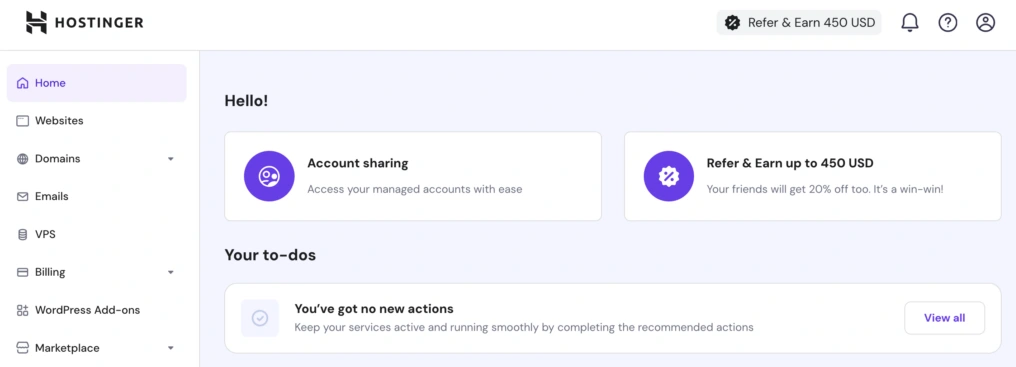
Hostinger Cloud is a managed cloud hosting solution that offers excellent value for money. It provides significantly more resources than traditional shared hosting while remaining one of the most affordable options among WP Engine alternatives.
It is a great choice for users who want cloud-level performance and resources without paying premium prices. Many people switch to Hostinger Cloud when they outgrow shared hosting but don’t want to spend as much as Kinsta or Pressable.
Key Features
- Runs on Managed Cloud Infrastructure with NVMe storage
- Free CDN included
- Daily and on-demand backups
- Easy one-click staging
- AI-powered tools and website builder
- Dedicated IP address on higher plans
- 24/7 priority support
- Free SSL and easy site migration
- Power boost feature for handling traffic spikes
Pros
- Very affordable compared to other cloud/managed hosts
- High resources even on entry-level cloud plans (100 websites, 100 GB NVMe)
- Easy to use, especially for beginners and growing sites
- Includes AI tools and helpful features
- Good performance for the price
- Simple upgrade path as your site grows
- 30-day money-back guarantee
Cons
- Uptime guarantee (99.9%) is slightly lower than some premium hosts
- Support is good but not as specialized as premium providers
- Fewer advanced developer tools compared to Kinsta or Cloudways
- Backups are less frequent than some competitors
Pricing
Hostinger Cloud starts at $7.99 per month when billed for 48 months (renews at approximately $25.99/month).
Even the entry-level Cloud Startup plan offers generous resources, including up to 100 websites and 100 GB NVMe storage. It comes with a 30-day money-back guarantee, so you can try it without long-term risk. Pricing is very competitive, especially for users looking for cloud hosting on a budget.
You can get up to 93% OFF on Hostinger hosting with its current discount offer. See our Hostinger coupon deals for the latest discount and complete offer details.
Best for
Hostinger Cloud is best suited for:
- Growing websites and small businesses
- Users who want cloud hosting performance at an affordable price
- Beginners and intermediate users who still need good resources
- People looking for a budget-friendly WP Engine alternative with solid features
How to Choose the Right WP Engine Alternative
With so many good options available, choosing the best WP Engine alternative can feel overwhelming. The right choice depends on your specific needs, budget, and how your website is expected to grow. Here’s a simple guide to help you decide.
1. Consider Your Budget
- Tight budget / Just starting out: Go with Hostinger Cloud. It offers the best value and generous resources at the lowest price.
- Want good balance of price and performance: Cloudways or Pressable are excellent middle-ground options.
- Willing to pay more for premium performance: Choose Kinsta or Rocket.net.
Always check both the introductory price and the renewal price before deciding.
2. Think About Your Traffic & Growth
- Low to moderate traffic: Hostinger Cloud or Pressable can easily handle your needs.
- Growing traffic or expecting spikes: Cloudways (pay-as-you-go) or Rocket.net work very well.
- High traffic or enterprise-level needs: Kinsta or Rocket.net are better suited due to stronger infrastructure and scalability.
3. How Technical Are You?
- Beginner or non-technical: Choose Hostinger Cloud or Pressable — they are easier to manage.
- Developer or agency: Cloudways and Kinsta give you more control and better developer tools.
- Want maximum simplicity: Rocket.net is known for being straightforward while still delivering strong performance.
4. What Type of Website Are You Running?
| Website Type | Recommended Hosts | Reason |
|---|---|---|
| Blog / Content Site | Hostinger Cloud, Pressable | Good performance at reasonable cost |
| WooCommerce / Online Store | Rocket.net, Kinsta | Better speed and caching for stores |
| Agency / Multiple Clients | Cloudways, Pressable, Kinsta | Better tools for managing many sites |
| High-Traffic Business | Kinsta, Rocket.net | Strong infrastructure and support |
5. Must-Have Features Checklist
Before finalizing, ask yourself:
- Do you need unlimited websites? → Cloudways or Hostinger Cloud
- Is maximum uptime critical? → Pressable (100% SLA)
- Do you want the fastest possible speed? → Rocket.net or Kinsta
- Do you need strong developer tools and staging? → Kinsta or Cloudways
- Is lowest price your top priority? → Hostinger Cloud
- Do you want maximum flexibility and control? → Cloudways
Quick Recommendation Guide
| Your Priority | Best Choice |
|---|---|
| Cheapest Cloud Hosting | Hostinger Cloud |
| Best Overall Value & Flexibility | Cloudways |
| Best Performance & Speed | Rocket.net |
| Best for Agencies & Uptime | Pressable |
| Most Premium Experience | Kinsta |
Frequently Asked Questions
Which is the best WP Engine alternative in 2026?
There is no single best option as it depends on your specific needs. Kinsta is excellent for premium performance, Rocket.net stands out for speed, Pressable offers the strongest uptime guarantee, Cloudways provides great flexibility for developers, and Hostinger Cloud is the most budget-friendly choice.
What is the cheapest WP Engine alternative?
Hostinger Cloud is currently the most affordable option among the recommended alternatives. It starts at a low promotional price and still provides cloud-level resources, making it suitable for users who want good performance without spending too much.
Can I migrate from WP Engine without downtime?
Yes, all the hosts mentioned in this guide offer free expert migrations. Most migrations can be completed with minimal or no downtime, especially when using staging sites to test everything before going live.
Which host is best for WooCommerce stores?
Rocket.net and Kinsta are usually the better choices for WooCommerce stores. They offer strong caching, better handling of dynamic content, and overall faster performance which is important for online stores.
Which host offers the best uptime guarantee?
Pressable provides the strongest uptime commitment with a 100 percent uptime SLA. This makes it a reliable choice for users who cannot afford any downtime on their websites.
Is Cloudways better than Kinsta?
It depends on what you need. Kinsta is better if you want a fully managed premium experience with excellent support and tools. Cloudways is a stronger choice if you want more control, unlimited websites, and a flexible pay-as-you-go pricing model.
Which host is best for agencies?
Pressable and Cloudways are popular among agencies. Pressable is great for uptime and client site management, while Cloudways offers better flexibility and cost control when handling multiple websites.
Final Verdict
After comparing Kinsta, Pressable, Cloudways, Rocket.net, and Hostinger Cloud in detail, it’s clear that there isn’t one single best WP Engine alternative for everyone. The right choice depends on your budget, traffic, and priorities.
Here’s a quick summary to help you decide:
- Kinsta is the best choice if you want premium performance, excellent developer tools, and strong support.
- Pressable stands out if maximum uptime and agency-friendly features are your top priorities.
- Cloudways is ideal if you want flexibility, more control, and good value with a pay-as-you-go model.
- Rocket.net is the strongest option when speed and WooCommerce performance matter the most.
- Hostinger Cloud wins if you’re looking for affordable cloud hosting with generous resources.
Kinsta and Cloudways are two of the most popular alternatives people consider when leaving WP Engine. However, if Kinsta feels too expensive for your needs, you can explore more budget-friendly options in our guide on the best Kinsta alternatives. Similarly, if you like the flexibility of Cloudways but want to see other strong options, check out our list of the best Cloudways alternatives.
“Great list of WP Engine alternatives! It’s really helpful to see options that are both cost-effective and high-quality. Thanks for providing a comprehensive overview—it’s perfect for anyone looking to explore other hosting solutions!”