
WordPress powers over 43% of all websites on the internet. But a beautiful site isn’t enough anymore.
In 2026, Google is stricter than ever. It rewards fast-loading, mobile-friendly, and well-optimized websites.
Doing all that manually is complicated and time-consuming. This is exactly where SEO plugins come in.
These smart tools handle the technical SEO work behind the scenes, so you can rank higher without becoming an expert.
In this guide, I’ve reviewed 10 of the best SEO plugins for WordPress with honest pros, cons, pricing, and simple advice.
If you’re just starting out, check our complete WordPress setup guide for a strong foundation before installing any SEO plugins.
Why SEO Plugins Still Matter for WordPress in 2026
Google is getting smarter every year, and in 2026, it’s stricter than ever about what it shows on the first page of search results.
Google’s Standards Keep Getting Higher
Today, it’s not enough to just have good content. Google now checks many things at once:
- How fast your site loads
- How well it works on mobile phones
- How easy it is for people to read and use
- How clearly it understands what your pages are really about
If any of these are weak, your site can drop in rankings, even if your writing is excellent.
What SEO Plugins Actually Do For You
These tools quietly handle dozens of important behind-the-scenes jobs that would take most website owners hours (or even days) to do manually. They help you:
- Write better page titles, meta descriptions, and headings
- Create clean XML sitemaps and tell Google about your new pages
- Add proper schema markup for rich results (stars, images, FAQs, etc.)
- Improve site speed and pass Google’s Core Web Vitals checks
- Fix technical problems like broken links, missing redirects, or duplicate content
Real Benefits You Get
- Save hours of technical work every week
- Avoid costly mistakes that hurt rankings
- Get consistent SEO improvements even while you focus on creating great content
- Stay up-to-date with Google’s latest rules without becoming an expert yourself
How We Selected & Ranked These 10 Best SEO Plugins
We didn’t pick these plugins randomly.
We tested each one carefully on actual WordPress websites before making this list.
Our Testing Process
We set up fresh WordPress sites with different themes and hosting. We used every plugin for real tasks like optimizing content, fixing issues, checking speed impact, and tracking results over multiple weeks. All opinions in this guide come from direct hands-on testing.
The 6 Factors We Considered
We judged every plugin using the same standards:
- Features and how well they work in 2026
- How easy they are to use for beginners and advanced users
- Effect on site speed and overall performance
- Pricing and whether it offers good value
- User reviews, active installs, and support quality
- How smoothly it works with other plugins and latest WordPress version
How We Created The Final Rankings
We gave each plugin a score across all six factors. We put extra importance on real results, which plugins actually helped improve search rankings and which ones felt difficult to use. Only the top performing plugins made it into this guide.
10 Best SEO Plugins for WordPress in 2026
1. Rank Math

Rank Math has become one of the most popular SEO plugins for WordPress in 2026.
It offers a powerful free version along with paid plans that unlock more advanced tools. The plugin focuses on delivering results through a clean interface and automatic setup that handles most technical SEO tasks right away.
It stands out because of its regular updates and focus on features that match what Google looks for today, such as better content optimization and rich results.
Key Features
- AI Link Genius for smart AI-powered link building
- Broken Link Checker to automatically find and fix broken internal and external links
- Automated Keyword Linking with AI-suggested variations
- Advanced Schema Generator with 840+ schema types and custom builder
- Content AI assistant (with free trial credits in paid plans)
- Advanced keyword rank tracker (up to 500 keywords in Pro plan)
- Automated SEO sitemaps
- Advanced redirections module
- Google Analytics 4 and Search Console integration
- One-click import from other plugins like Yoast or AIOSEO
Pros
- Free version already includes strong core tools
- Very lightweight and does not slow down your site
- Modern dashboard that feels simple to navigate
- Frequent updates with new Google-friendly additions
- 30-day money-back guarantee with no hassle
Cons
- Many advanced tools like full schema options and keyword tracking are only in paid plans
- Pro plan restricts use to personal websites only (client sites need Business or Agency plans)
- Content AI is available only as a limited trial in paid versions
Pricing
- Free Version: $0 – Basic SEO tools available for all users
- Pro Plan: $7.99 per month billed annually – Unlimited personal websites
- Business Plan: $24.99 per month billed annually – Supports up to 100 client websites
- Agency Plan: $54.99 per month billed annually – Supports up to 500 client websites
All paid plans come with a 30-day money-back guarantee and 100% satisfaction promise. You get charged the same amount each year after the first payment.
Best for
Rank Math works best for bloggers, solopreneurs, small business owners, and anyone who runs personal WordPress sites and wants strong SEO tools without paying a high price. It fits both complete beginners and users who like to fine-tune settings.
2. AIOSEO
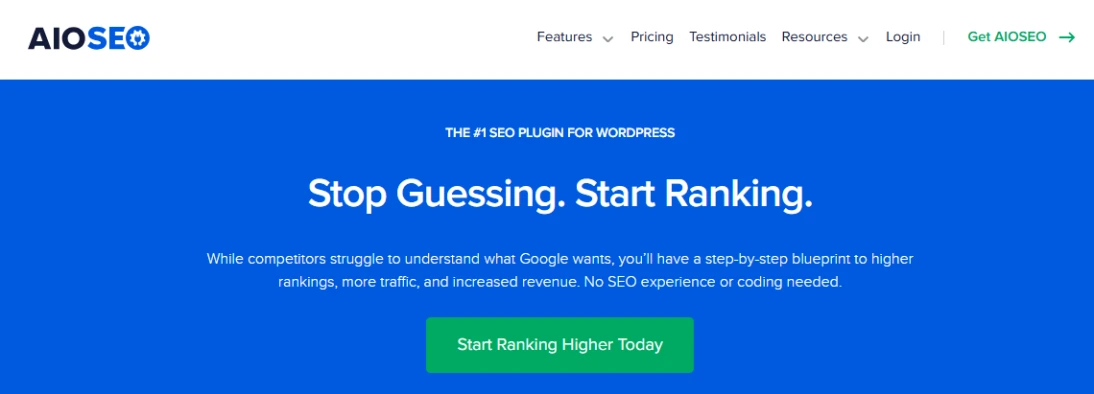
AIOSEO is one of the longest-standing and most popular SEO plugins for WordPress.
It is designed to make SEO simple even for complete beginners while offering powerful tools for advanced users. Over 3 million website owners currently use it.
The plugin provides a complete toolkit that helps with on-page optimization, technical SEO, and rich results without needing to switch between multiple tools.
Key Features
- TruSEO On-Page Analysis with actionable checklist and score
- Smart Link Assistant for internal linking suggestions
- Advanced Schema Markup for rich snippets
- AI Writing Assistant for generating SEO-optimized content
- Search Statistics with Google Search Console data directly in dashboard
- Local SEO tools including multiple locations and Google Maps integration
- WooCommerce SEO for product and category optimization
- Smart XML Sitemaps
- Redirection Manager and 404 error handling
- Keyword Rank Tracker
- Author SEO for E-E-A-T signals
Pros
- Very user-friendly interface and setup wizard
- Strong focus on WooCommerce and Local SEO
- Excellent Search Statistics integration
- Regular updates and new features
- 14-day money-back guarantee on all paid plans
Cons
- Most advanced features are locked behind paid plans
- Each plan limits the number of websites you can use
- Can feel feature-heavy and sometimes slower than lighter plugins
- AI credits are limited and require paid plans
Pricing
- Free Version: $0 – Basic features available
- Basic Plan: $49.50/year (normally $99) – 1 website
- Plus Plan: $99.50/year (normally $199) – 3 websites
- Pro Plan: $199.50/year (normally $399) – 10 websites
- Elite Plan: $299.50/year (normally $599) – 100 websites
All paid plans currently offer 50% off the first year and come with a 14-day money-back guarantee.
Best for
AIOSEO works best for business owners, bloggers, eCommerce store owners, and agencies who want an all-in-one solution with strong local and WooCommerce SEO capabilities. It is particularly good for users who prefer a guided, beginner-friendly approach.
3. Yoast SEO
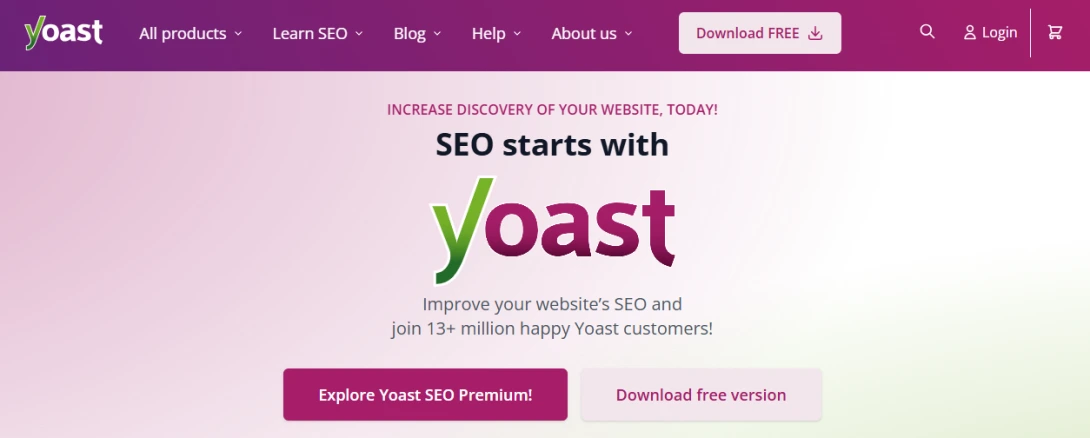
Yoast SEO is one of the most well-known and long-standing SEO plugins for WordPress.
It started as a free plugin and has grown into a complete solution that helps users optimize content for search engines while improving readability.
The plugin gives clear guidance in real time so you can follow SEO best practices without needing deep technical knowledge.
Key Features
- Real-time SEO analysis and content optimization
- Readability analysis with clear feedback
- Redirect manager to fix 404 errors quickly
- Preview how your content appears in search results
- XML sitemaps and technical SEO tools
- Internal linking suggestions
- Schema markup support
- AI Optimize and AI Summarize tools (in Premium)
- AI Content Planner (in Premium)
- Schema Aggregation for better structured data
Pros
- Strong free version with solid core tools
- Easy-to-understand interface and real-time guidance
- Regular updates that match current Google changes
- Includes additional plugins like Local SEO, Video SEO, and News SEO in the Premium plan
- Built for users at every skill level
Cons
- Many advanced tools and AI features are only available in the paid plan
- Premium is required for full access to redirects, multiple schema types, and extra plugins
- No unlimited website usage in a single plan
Pricing
- Free Version: $0 – Full basic Yoast SEO plugin with core optimization tools
- Yoast SEO Premium: $118.80 per year (billed annually at $9.90 per month, ex VAT) – Includes all Premium features, Local SEO, News SEO, Video SEO, Google Docs add-on, support, and updates
- Higher bundles available (e.g., WooCommerce SEO at $178.80/year or AI+ package at $358.80/year)
No refund details are listed on the official site.
Best for
Yoast SEO works best for bloggers, entrepreneurs, in-house marketing teams, and anyone who wants straightforward real-time SEO guidance without expert knowledge. It suits both beginners who need simple help and more experienced users who want additional premium tools.
4. SEOPress
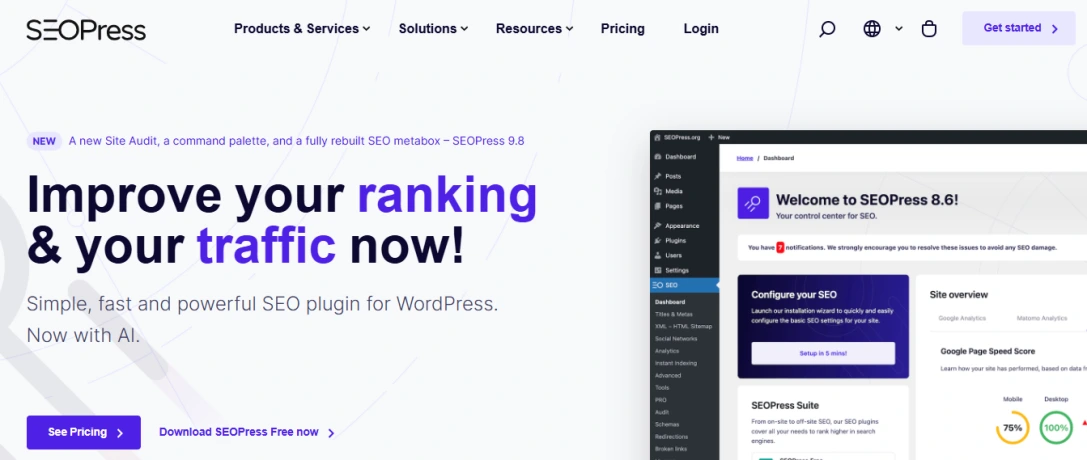
SEOPress is a fast, lightweight, and powerful all-in-one SEO plugin for WordPress.
It is known for being developer-friendly while remaining easy enough for beginners. With over 350,000 active installs, it has built a strong reputation for delivering results without slowing down your website.
The plugin offers a solid free version and a PRO version that adds advanced features like AI tools, site audit, and local SEO.
Key Features
- Content analysis with unlimited keywords
- XML and HTML sitemaps
- Schema markup and structured data
- Redirect manager and 404 monitoring
- AI integration for generating titles, meta descriptions, and alt texts (PRO)
- Site Audit tool (PRO)
- Local SEO and WooCommerce SEO (PRO)
- Analytics dashboard with Google Analytics and Matomo integration (PRO)
- CSV import/export for bulk SEO management
- White label option (PRO)
- REST API and WP-CLI support
Pros
- Very lightweight and fast performance
- Excellent value for money, especially unlimited sites plan
- Strong developer tools and hooks
- 14-day money-back guarantee
- Regular updates and good compatibility
Cons
- Many important features like AI, Site Audit, and Local SEO are only available in the PRO version
- Free version has limited support (forums only)
- PRO features are quite spread out compared to some competitors
Pricing
- Free Version: $0 – Available with core SEO tools
- SEOPress PRO:
- 1 Site: $49 per year
- 5 Sites: $59 per year (best value)
- Unlimited Sites: $149 per year
- 14-day money-back guarantee on all paid plans. Renewal price is the same as the initial price.
Best for
SEOPress works best for developers, agencies, bloggers, and business owners who manage multiple websites and want a fast, affordable, and powerful SEO plugin with good value for money.
5. Redirection

Redirection is the most popular redirect manager plugin for WordPress with over 2 million active installations.
It allows you to easily manage 301 redirects, track 404 errors, and clean up loose ends on your website to help improve SEO and user experience.
The plugin has been actively maintained for over 10 years and remains completely free with no premium version or paid addons.
Key Features
- Manage 301 redirects without needing server knowledge
- Conditional redirects based on login status, user role, referrer, browser, IP, and more
- Full logging of redirects with visitor details and hit counts
- 404 error tracking and bulk redirection from 404 logs
- Automatic redirect creation when permalinks change
- Import and export redirects (CSV, JSON, .htaccess, Nginx)
- Support for regular expressions and query parameter handling
- Ability to add custom HTTP headers
- WP-CLI and REST API support
Pros
- Completely free with no paid upsells
- Very powerful and flexible redirect options
- Excellent for handling 404 errors and site migrations
- Lightweight and does not slow down your site
- Regular updates and long history of reliability
Cons
- User interface looks a bit old-fashioned
- Can feel complex for complete beginners due to many advanced options
- No dedicated support (only GitHub and community forums)
Pricing
- Free Version: $0 – All features are completely free
- No premium version or paid plans available
Best for
Redirection works best for site owners, developers, and agencies who need a reliable, powerful, and free tool to manage redirects and fix 404 errors on one or multiple WordPress websites.
6. Broken Link Checker
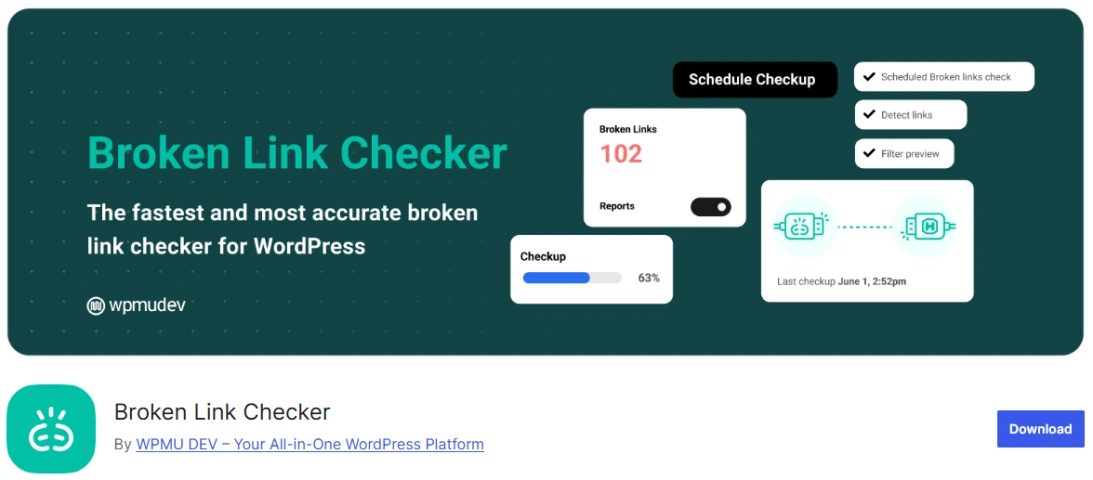
Broken Link Checker is a popular WordPress plugin developed by WPMU DEV that automatically monitors your site for broken links and missing images.
It helps protect your SEO and user experience by scanning posts, pages, comments, custom post types, and embedded media.
The plugin gives you two scanning options, a fast cloud-based engine or a local one that runs directly on your server, so you can choose what works best for your setup.
Key Features
- Automatic link monitoring across posts, pages, comments, custom post types, and embedded media
- Two scanning engines: Cloud-Based (20x faster, zero server load) or Local Engine
- Comprehensive reports with search and filtering by URL, status, error type, or anchor text
- Quick fixes, edit, unlink, or ignore broken links directly from the dashboard
- Bulk actions for faster cleanup
- Email alerts and dashboard notifications when broken links are found
- Broken image detection
- Multisite support for agencies and networks
- Custom filters to exclude specific post types, categories, or domains
Pros
- Completely free with no paid version required
- Cloud engine is very fast and puts no load on your server
- Easy bulk fixing and direct editing options
- Strong multisite and custom post type support
- Regular updates and good documentation
Cons
- Some users report frequent false positives, especially with external sites
- Cloud version requires a free WPMU DEV Hub account and connection
- Interface can feel dated and occasionally cluttered with extra notices
- Local engine only works in the admin area and can be slower on large sites
Pricing
- Free Version: $0 – All core features are completely free
- No paid plans or premium upgrades needed
- Cloud scanning uses a free Hub account (some restrictions apply)
- No refund details since the plugin is 100% free
Best for
Broken Link Checker works best for bloggers, site owners, developers, agencies, and anyone running WordPress multisite networks who want a reliable, free tool to automatically find and fix broken links without adding extra cost.
7. WP Rocket
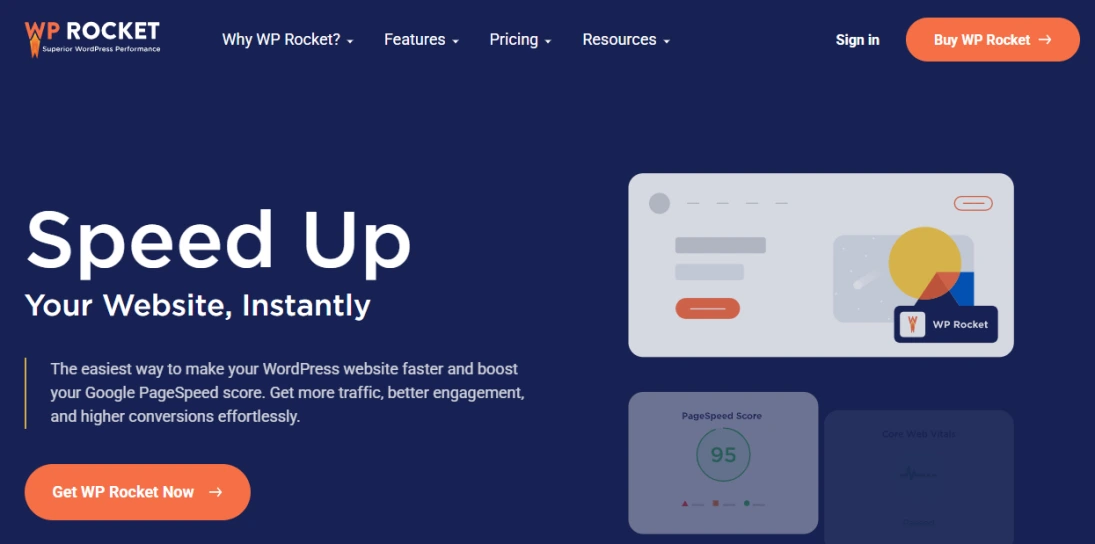
WP Rocket is one of the best caching plugins for WordPress that makes your website load much faster.
It automatically applies 80% of web performance best practices as soon as you activate it, with no technical knowledge needed.
The plugin helps improve Google PageSpeed scores and Core Web Vitals, which directly supports better SEO rankings and keeps visitors from leaving due to slow loading times.
Key Features
- Page Caching that creates static HTML files for instant loading
- Cache Preloading that rebuilds the cache after updates or from sitemaps
- Browser Caching for images, JS, and CSS files
- GZIP Compression to reduce file sizes
- Minification and Combination of CSS and JS files
- CSS Optimization and JavaScript deferred/delayed loading
- LazyLoad for images, videos, and iframes
- Critical Image Optimization for above-the-fold content
- WebP Support with separate cache files
- Database Optimization to clean comments, posts, and transients
- eCommerce Optimization that excludes sensitive pages from cache
- Rocket Insights performance monitoring and recommendations dashboard
- CDN Integration including their own RocketCDN
- One-click add-ons for Varnish Cache, Cloudflare, and Sucuri
Pros
- Delivers blazing-fast results immediately with automatic settings
- Improves Core Web Vitals and PageSpeed Insights scores
- Saves visitor bandwidth through LazyLoad
- Simple dashboard with clear recommendations via Rocket Insights
- Strong compatibility with most themes, plugins, and hosting providers
- Database cleanup improves overall site efficiency
Cons
- No free version – the plugin is premium only
- eCommerce sites must exclude sensitive pages from caching
- Requires annual renewal to keep receiving updates and support
- No trial version is available before purchase
Pricing
There is no free version available of this plugin. Premium plans are as below,
- Single Plan: $59 per year – for 1 website
- Plus Plan: $119 per year – for 3 websites
- Multi Plan: $299 per year – for 50 websites
All plans include product updates, support, and Rocket Insights. A 14-day 100% money-back guarantee is offered. Licenses renew automatically after one year (you can disable auto-renewal in your account).
Best for
WP Rocket works best for bloggers, business owners, eCommerce store owners, and agencies who want a premium, easy-to-use caching solution and are ready to invest for strong speed improvements and better SEO performance.
8. W3 Total Cache
W3 Total Cache is a complete Web Performance Optimization framework for WordPress.
It helps improve SEO, Core Web Vitals, and user experience by making your site load faster through smart caching and optimization tools.
Trusted by millions of users for more than ten years, it works with any web host and supports many server types.
Key Features
- Multiple caching methods including Local Disk, Redis, Memcached, and more
- Full CDN integration with Cloudflare, AWS, StackPath, and others
- Minification of HTML, CSS, and JavaScript with granular control
- Lazy loading for images and deferring of non-critical CSS and JavaScript
- Browser caching with cache-control headers and ETags
- Fragment caching for dynamic content
- Mobile and AMP support with user-agent-based caching
- Database and object caching options
- Extensions for Cloudflare, WPML, and image conversion to WebP/AVIF
- WP-CLI support for cache management
Pros
- Delivers major performance gains and better Google PageSpeed scores
- Reduces bandwidth usage and improves SEO rankings
- Works with any hosting environment and major CDNs
- Free core version with strong optimization tools
- Pro version includes advanced features like Full Site Delivery and REST API caching
Cons
- Can be complex to configure and may need trial-and-error for minification
- Some users report reliability issues after updates, including errors and broken functionality
- Pro version is needed for many advanced optimizations
- Modifies wp-config.php and .htaccess files, which can affect version control
Pricing
- Free Version: $0 – Full core plugin with main caching and optimization features
- W3 Total Cache Pro: Paid upgrade with extra features. Starting price is $99 per year.
- 30-day money-back guarantee on the Pro version
Best for
W3 Total Cache works best for publishers, web developers, web hosts, and anyone running high-traffic WordPress sites who want strong performance improvements, better Core Web Vitals, and SEO benefits through advanced caching and CDN tools.
9. Schema Pro
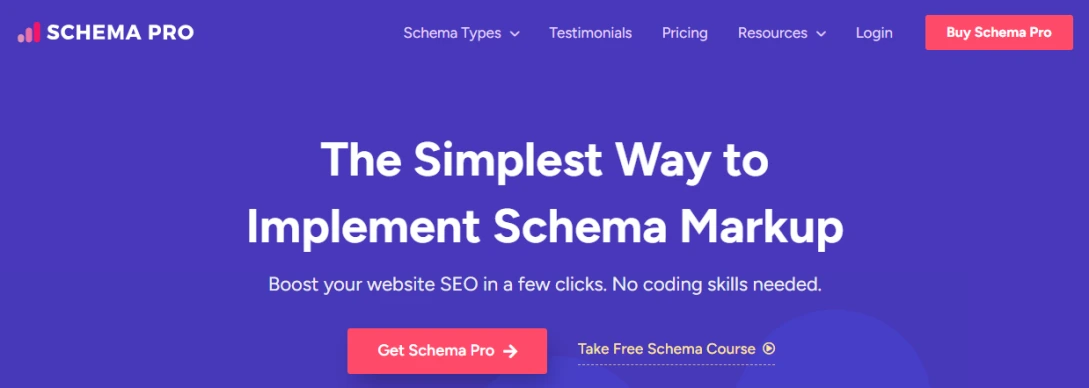
Schema Pro is a WordPress plugin that makes adding schema markup simple without any coding.
It helps your site appear better in search results with rich snippets, which can increase click-through rates and bring more organic traffic. Over 174,239 websites already use it and give it a 4.9 satisfaction rating.
The plugin follows a quick 3-step process: pick a schema type, choose the page or post, and map your content. Once set up, it automatically applies the markup across your entire site.
Key Features
- No Coding Required – simple click-and-select interface
- 20+ Schema Types including recipe, book, article, job posting, and more
- Full Automation that maps fields and adds schema across the website
- Custom Field Mapping to overwrite default data
- Real-time Testing with built-in validation and direct Google Structured Data Testing Tool link
- Custom Schema Markup Tool for creating your own types
- Bulk Implementation on all pages, posts, or categories at once
- Works seamlessly with Yoast SEO plugin
Pros
- Quick setup with no code needed
- Saves time through automatic mapping
- Full control over where and when schema appears
- Perfect for users with little or no technical knowledge
- Helps sites stand out in search results
- Includes free online schema markup course and knowledge base
Cons
No specific cons or limitations are mentioned on the official website.
Pricing
- Schema pro offers annual plan at ^9/year and a lifetime plan at $229 (one-time fee.)
- The plugin offers a 14-Days Money Back Guarantee.
Best for
Schema Pro works best for WordPress users who want to implement schema without coding, non-techie everyday users, SEO professionals, agencies, and SEO managers who need to streamline schema markup for client sites.
10. MonsterInsights

MonsterInsights is the #1 Google Analytics plugin for WordPress.
It connects your site to Google Analytics in just a few clicks with no code required.
More than 3,000,000 professionals currently use it to see clear reports and actionable insights directly inside their WordPress dashboard.
Key Features
- Google Analytics Tracking setup with no code
- Full Google Analytics Dashboard inside WordPress
- Real-time stats showing who is online right now
- 1-click eCommerce tracking for WooCommerce, Easy Digital Downloads, MemberPress and more
- Page-level analytics for every post and page
- Affiliate and outbound link tracking
- GDPR and EU privacy compliance tools
- Custom dimensions for authors, categories, tags and users
- Form conversion tracking
- Video engagement tracking for YouTube, Vimeo and embedded videos
- Site Notes to mark important events
- User Journey reports
Pros
- Extremely easy setup and use
- All reports appear directly in the WordPress dashboard
- Strong eCommerce and form tracking
- Helps improve content and conversion decisions
- 14-day money-back guarantee
Cons
- Advanced reports and features are only available in paid plans
- Free version has limited reports and data depth
Pricing
- Free Version (Lite): $0 – Basic tracking and limited reports
- Plus Plan: $99.50 per year (normally $199) – 1 website
- Pro Plan: $199.50 per year (normally $399) – 5 websites
- Elite Plan: $299.50 per year (normally $599) – 25 websites
All paid plans include 1 year of updates and support. A 14-day money-back guarantee applies with no questions asked.
Best for
MonsterInsights works best for bloggers and publishers who want to grow traffic and revenue, eCommerce store owners who need sales and conversion data, business website owners who want simple analytics, and agencies or developers who manage multiple client sites.
Quick Comparison – Best WordPress SEO Plugins
Here’s a clear, at-a-glance comparison of all 10 plugins we reviewed. It makes it easy to see the main differences in features, pricing, and performance so you can pick the best fit for your needs.
| Plugin | Best For | Free Version Strength | Key Unique Feature | Pricing (annual) | Performance Impact |
|---|---|---|---|---|---|
| Rank Math | Bloggers, solopreneurs, personal sites | Very strong | AI content assistant + 840+ schema types | Free / Pro $107.88 (1 site) | Very lightweight & fast |
| AIOSEO | Business owners, eCommerce, local SEO | Basic | TruSEO On-Page Analysis + Search Statistics | Free / Basic $49.50 (1 site) | Can feel heavier |
| Yoast SEO | Bloggers, entrepreneurs, teams | Strong core tools | Real-time readability + SEO analysis | Free / Premium $118.80 | Lightweight |
| SEOPress | Developers, agencies, multiple sites | Good core tools | Unlimited sites in PRO + developer tools | Free / PRO $49–$149 | Very lightweight & fast |
| Redirection | Redirect & 404 management | Excellent (all features free) | Advanced conditional redirects + 404 logs | Completely free | Very lightweight |
| Broken Link Checker | Automatic link monitoring | Excellent (all features free) | Cloud-based fast scanning | Completely free | Zero server load (cloud) |
| WP Rocket | Speed optimization | None (premium only) | Automatic 80% of performance best practices | $59 (1 site) / $119 (3 sites) | Significantly improves speed |
| W3 Total Cache | High-traffic sites & advanced users | Strong | Multiple caching methods + CDN support | Free / Pro upgrade available | Major performance gains |
| Schema Pro | Rich snippets & structured data | None (paid only) | No-code 20+ schema types with automation | Paid plans (pricing on request) | Lightweight |
| MonsterInsights | Analytics & conversion tracking | Basic (Lite) | Full Google Analytics dashboard in WP | Free / Plus $99.50 (1 site) | No impact |
Which SEO Plugin Should You Choose?
Choosing the right SEO plugin depends on your specific needs, budget, and how you use your WordPress site.
Here’s a simple, quick decision guide based on everything we tested.
Best Overall: Rank Math
- Rank Math offers the best balance of powerful features, ease of use, and price in 2026. Its free version is very generous, and the Pro plan is reasonably priced. Great choice for most bloggers and small business owners.
Best for Beginners: AIOSEO
- If you want the simplest setup and guided help, go with AIOSEO. It has a very user-friendly interface and strong tools for local SEO and eCommerce.
Best for Straightforward Guidance: Yoast SEO
- Choose Yoast SEO if you like clear real-time feedback on content quality and readability. It is ideal for writers and content-focused users.
Best for Multiple Sites & Best Value: SEOPress
- SEOPress is excellent if you manage several websites or want strong performance at a lower price. Its unlimited sites plan makes it very cost-effective for agencies.
Best for Site Speed: WP Rocket
- If your main goal is making your site load faster, WP Rocket is the top choice. It delivers quick results with minimal configuration.
Best Free Combo: Redirection + Broken Link Checker
- For basic but important technical SEO tasks, use these two free plugins together. They handle redirects and broken links very effectively at zero cost.
Best for Rich Snippets: Schema Pro
- If you want your pages to stand out in search results with rich snippets, Schema Pro is the dedicated solution.
Best for Analytics & Insights: MonsterInsights
- Choose MonsterInsights if you want to easily understand your visitors and track conversions inside your WordPress dashboard.
FAQs
Rank Math usually comes out on top for most users in 2026 because it offers a very generous free version with modern features while staying lightweight. AIOSEO is the easiest choice for complete beginners and shines with local or eCommerce sites. Yoast SEO remains a solid option if you prefer simple real-time guidance, but many users switch away from it as the paid plan feels less competitive.
Rank Math and SEOPress both stand out as the strongest free SEO plugins right now. Rank Math gives you more advanced tools like AI suggestions and rich schema right out of the box. SEOPress stays extremely light and works great if you manage multiple sites.
You should never run two full SEO plugins like Rank Math, AIOSEO, and Yoast at the same time. They will fight with each other and create duplicate meta tags that can hurt your Google rankings. Pick only one main SEO plugin and add supporting tools like Redirection or WP Rocket.
Most modern SEO plugins like Rank Math and SEOPress are very lightweight and do not slow your site down. Caching plugins such as WP Rocket or W3 Total Cache actually make your site much faster. Always test your site speed after installing any new plugin to be sure.
You probably don’t need Schema Pro unless you want very advanced custom schema types on many sites. Rank Math, AIOSEO, and SEOPress already include good schema tools that work well for most users.
It is not a good idea to use both caching plugins at once. They both handle similar jobs and can create conflicts that break your site or slow it down. Choose either WP Rocket for simplicity or W3 Total Cache for more advanced control.
Yes, these two free plugins are still very useful. Even the best main SEO plugins do not fully replace them. Redirection keeps your URLs clean with 301 redirects and Broken Link Checker automatically finds and fixes broken links so your SEO stays healthy.
SEOPress and Rank Math are the top choices for agencies and people who manage many sites. SEOPress offers an affordable unlimited sites plan while Rank Math has clear Business and Agency plans that support client websites easily.
Conclusion
You now have a complete picture of the 10 best SEO plugins for WordPress in 2026.
Rank Math stands out as the overall winner for most people thanks to its powerful free version and modern features. AIOSEO is the easiest for beginners, SEOPress offers the best value for multiple sites, WP Rocket delivers the fastest speed gains, and the free tools like Redirection and Broken Link Checker still handle important jobs perfectly.
The right plugin (or smart combination) can save you hours of work and help your site rank higher in Google.
Start with Rank Math’s free version or AIOSEO today, install it, follow the setup wizard, and you’ll see real improvements within weeks.
Which plugin are you choosing for your site? Drop a comment below and let me know!
Thanks for sharing this great list of Plugins.
You are welcome Rohit!
“Excellent article! I’ve been using Yoast SEO for a while, and it’s been a game-changer for optimizing my site. However, I’m definitely curious to try Rank Math based on the features you’ve highlighted here. It’s always great to learn about new tools that can improve SEO. Thanks for sharing such a thorough comparison!”
Great list! I’ve been curious about the best SEO plugins for 2026, and this post gave me some valuable insights. I’m especially interested in trying out the ones you mentioned for free. Thanks for sharing!