
WPX Hosting offers managed WordPress hosting, but its pricing and hosting limitations may not suit every website owner. If you’re looking for better value, more server control, or hosting that can grow with your website, switching providers might make sense.
In this guide, I’ll compare six WPX alternatives based on their pricing, performance, features, and support. I’ll also highlight the drawbacks of each option so you can decide whether switching from WPX is actually worth it.
Quick Comparison: Best WPX Hosting Alternatives
| Feature | WPX Starter | Kinsta Launch | Pressable Signature 1 | Cloudways DO 1GB | ScalaHosting Entry Cloud | WP Engine Startup | Hostinger Premium |
|---|---|---|---|---|---|---|---|
| Starting price (Annual billing) | $14.99/mo | $30/mo | $20.83/mo | $11/mo | $14.95/mo | $26/mo | $3.99/mo |
| Long term price | $11.99/mo (5 year) | NA | NA | NA | NA | NA | $2.99/mo (4 year) |
| Renewal price | No chnage | No chnage | No chnage | No chnage | $39.95/mo | $30/mo | $10.99/mo |
| Websites | 1 | 1 | 1 | Unlimited, limited by the server | Unlimited | 1 | 3 |
| Monthly visits | Unlimited | 75,000 | 30,000 | No visit cap | No visit cap | 25,000 | No visit cap |
| Storage | 10 GB | 15 GB | 20 GB | 25 GB | 50 GB NVMe | 10 GB | 20 GB SSD |
| Bandwidth | 100 GB | 15 GB server, 125 GB CDN | Not metered | 1 TB | Unmetered | 75 GB | Unlimited |
| Hosting type | Managed WordPress | Managed WordPress | Managed WordPress | Managed cloud server | Managed cloud VPS | Managed WordPress | Shared WordPress |
| Free migration | Yes | Yes | Yes | Yes, for WordPress | Yes | With plugin | Yes |
| Automatic backups | Daily | Daily | Hourly and daily | Every 24 hours | Automatic offsite | Automatic | Weekly |
| Backup retention | 28 days | 14 days | 30 days | 7 days | 7 days | 30 days | 6 Weekly 7 daily |
| Free CDN | Yes, XDN | Yes | Yes, edge cache | No. Cloudflare Enterprise is $4.99 per domain | Yes, static CDN | Yes | Yes |
| Staging | Yes | Yes | 1 staging site | Yes | Yes | Yes | Yes |
| Malware protection | Scan and removal | Platform security | Monitoring and threat response | Firewall. Cleanup is not included | SShield | Threat defense. WAF is a higher bundle | Automatic removal |
| Customer support | 24/7 chat, No phone | 24/7 chat, No phone | 24/7 chat, No phone | 24/7 chat and tickets. Phone is the $500/mo Premium add-on. | 24/7 chat, email, and tickets. Phone is pre-sales only | 24/7 chat and tickets on Startup. Phone starts on Professional. | 24/7 live chat and tickets. No phone. |
| Money-back guarantee | 30 days | 30 days | 30 days | None. 3-day trial, billed by the hour | Anytime | No | 30 days |
| Best for | One site, fixed renewal | One premium managed site | Simple managed WordPress | A server you can resize | VPS resources and control | A business site on a known platform | The lowest first bill |
Why Look for a WPX Hosting Alternative?
WPX hosting isn’t a bad hosting provider, but you may find that another host offers a better choice for your website. For example, you might be paying for managed WordPress hosting when you’d rather have more control over server resources, or you may want to move to a platform with a different pricing structure.
The main reasons to consider a WPX alternative are:
- High hosting costs: You want to spend less on hosting without compromising the features your website needs.
- Limited server control: You want more flexibility to configure and manage your hosting environment.
- Different resource requirements: You need a hosting plan that better matches your website’s traffic, storage, or growth.
- Specific hosting features: You need tools or management options that better suit your workflow.
- A better fit for your website: You want a provider whose pricing, support, and hosting setup match your priorities.
Before switching, identify what you want to improve. That makes it easier to choose an alternative that solves your actual problem rather than simply moving your website to another host.
6 Best WPX Hosting Alternatives in 2026
1. Kinsta
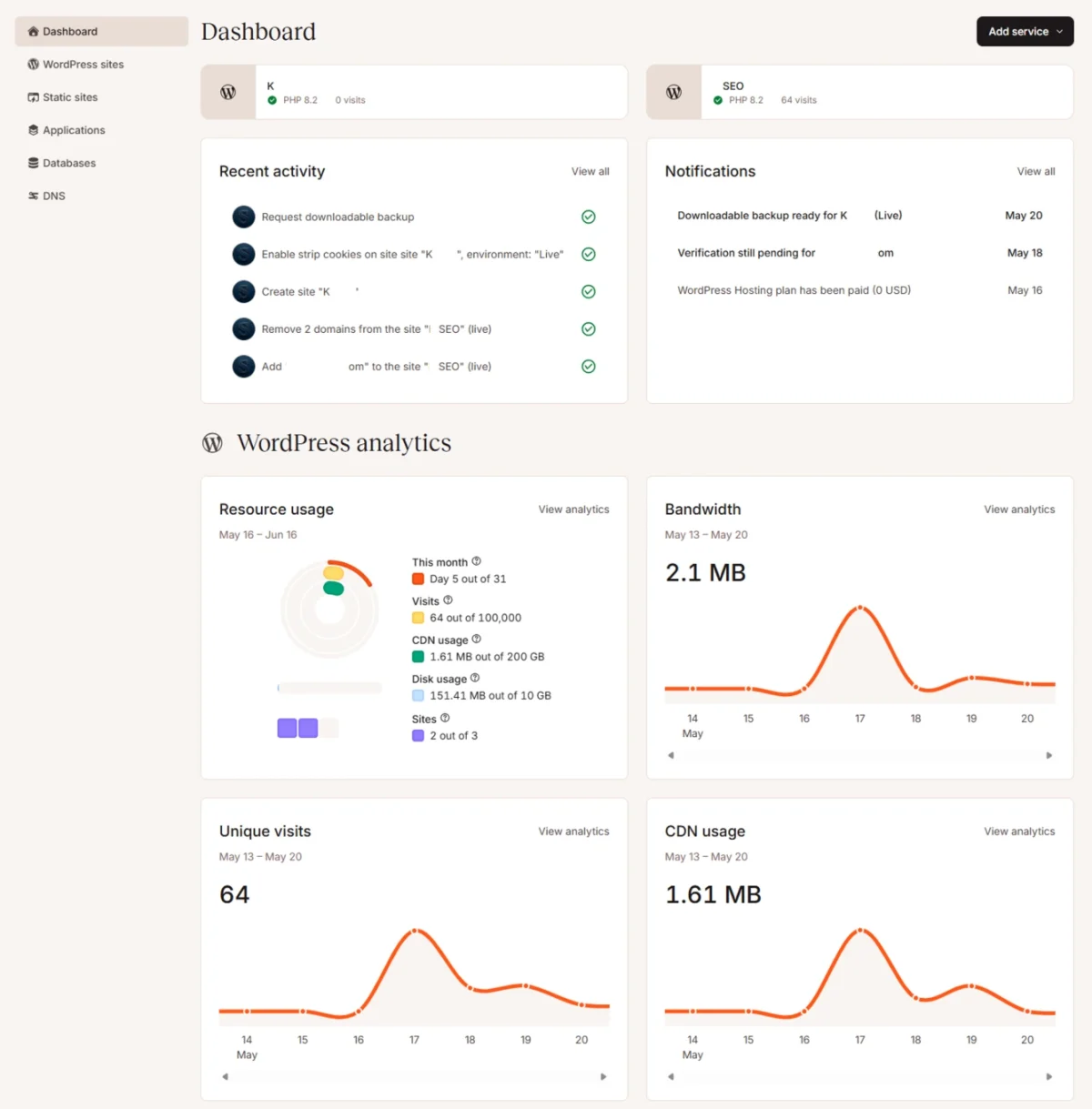
If you’re considering moving away from WPX, Kinsta is worth a look if you want managed WordPress hosting service with detailed website analytics and tools for managing your sites. It offers automatic backups, staging environments, a CDN, and a dashboard for managing WordPress websites. Kinsta is also upgrading its hosting infrastructure to Oracle Cloud Infrastructure (OCI).
Why Choose Kinsta Over WPX?
- You want detailed website analytics: Kinsta provides insights into visits, bandwidth usage, CDN usage, and PHP performance to help you monitor your website.
- You need a staging environment: Kinsta lets you test plugin updates, theme changes, and other modifications before applying them to your live website.
- You want to monitor hosting resource usage: Kinsta’s analytics can help you identify resource usage and investigate performance issues.
- You manage multiple WordPress websites: Kinsta provides a centralized dashboard to manage your websites and their hosting settings.
Kinsta is a strong alternative to WPX if you want detailed hosting analytics, staging tools, and a centralized dashboard for managing your WordPress websites. However, if you’re happy with WPX’s performance, support, and included features, switching to Kinsta may not offer enough additional value to justify the cost.
Want to see how it compares with WPX? Read my detailed WPX vs Kinsta comparison.
2. Pressable

Pressable is a managed WordPress hosting provider owned by Automattic, the company behind WordPress.com and WooCommerce. It is particularly suitable for online stores, business websites, and agencies that need reliable hosting with WordPress-focused support.
Unlike basic hosting plans, Pressable includes automatic backups, staging environments, a global CDN, Jetpack Security, and free website migrations. Its hosting platform also supports automatic failover and scaling to handle changes in traffic.
Why Choose Pressable Over WPX?
- You run a WooCommerce store: Pressable offers managed WooCommerce hosting with infrastructure designed to handle online stores and traffic spikes.
- You want more frequent backups: Pressable includes hourly database backups and daily full backups, giving you more recovery options if something goes wrong.
- You need dedicated PHP resources: Pressable provides dedicated PHP workers for each site, helping websites handle dynamic requests without relying on shared PHP worker pools.
- You manage client websites: Pressable includes staging and sandbox environments, along with tools for managing multiple WordPress sites from one dashboard.
Pressable is a strong choice if you run a WooCommerce store or manage business websites that need dedicated PHP resources and frequent backups. WPX remains worth considering if its hosting features already meet your needs, but Pressable offers specific advantages for stores and teams that need these tools.
Not sure whether to choose Pressable or WPX? See my WPX vs Pressable comparison for a closer look.
3. Cloudways
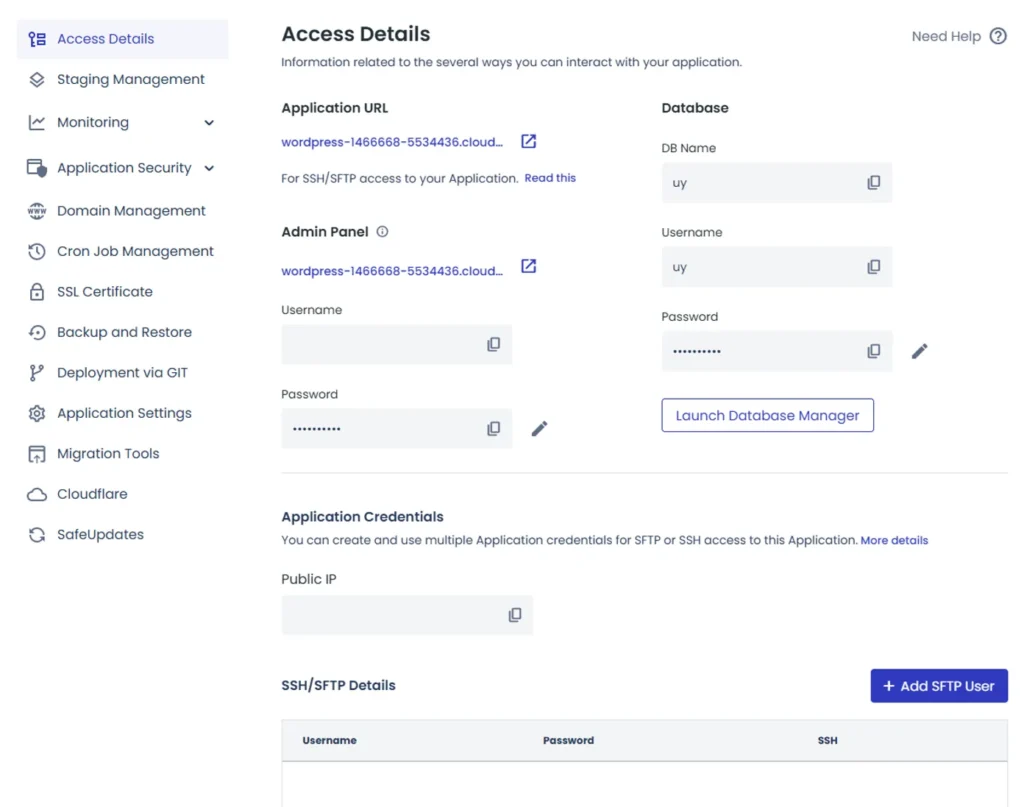
Cloudways is a good WPX alternative if you want more control over your hosting resources without managing a server entirely on your own. Unlike WPX, which focuses on managed WordPress hosting, Cloudways lets you deploy WordPress on cloud infrastructure from providers such as DigitalOcean, Vultr, and AWS.
Cloudways gives you more flexibility to choose server resources based on your website’s needs. It also offers features such as automated backups, staging environments, free SSL certificates, and built-in caching. This makes it a useful option for growing websites, resource-intensive WordPress sites, and businesses that need more room to scale.
Why Choose Cloudways Over WPX?
- You want to choose your cloud infrastructure: Cloudways lets you select from providers such as DigitalOcean, Vultr, AWS, and Google Cloud, depending on the hosting product and available plans.
- You need more control over server resources: You can adjust server resources as your website grows instead of being limited to a fixed managed WordPress hosting plan.
- You host multiple websites: Cloudways allows you to host multiple applications on a server, making it useful for managing several WordPress websites.
- You want flexible billing: Its pay-as-you-go pricing lets you choose resources based on your requirements without committing to a traditional long-term hosting contract.
Cloudways is a strong choice if you want flexible cloud hosting, adjustable server resources, and the ability to manage multiple websites. However, its dashboard and server settings can take more time to learn than WPX’s simpler managed WordPress hosting experience. If you prefer straightforward hosting without dealing with server configuration, WPX may be the better fit.
Want to compare their features, performance, and pricing? Check out my WPX vs Cloudways comparison.
4. ScalaHosting
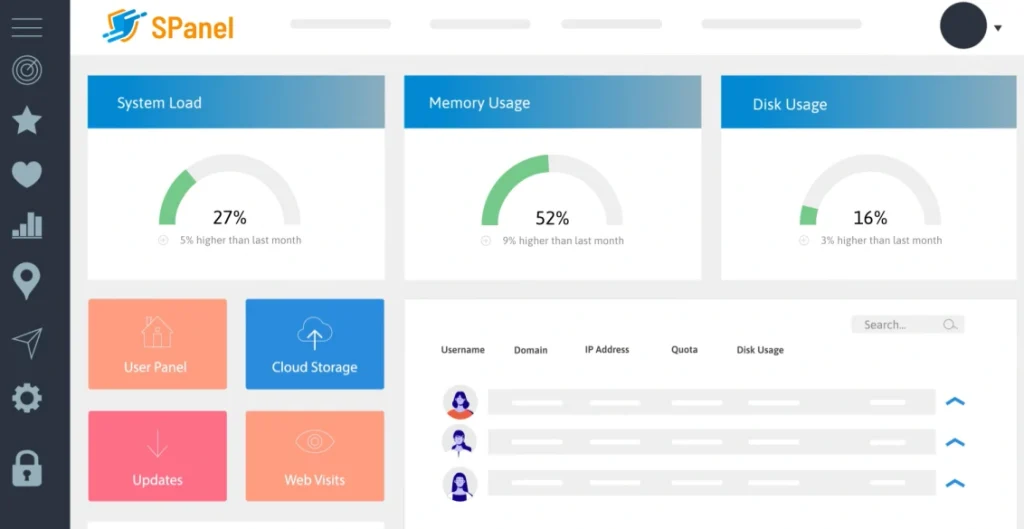
If your WordPress website is outgrowing its current hosting plan, ScalaHosting gives you the option to move to a cloud VPS with dedicated CPU and RAM resources. Unlike WPX’s managed WordPress hosting, ScalaHosting offers more control over your server environment while still providing tools to simplify everyday management.
Its SPanel control panel lets you manage websites, databases, backups, and other hosting settings. ScalaHosting also offers SShield security protection, free website migrations, and automatic backups. Depending on the plan, you can host multiple websites on the same account.
Why Choose ScalaHosting Over WPX?
- Dedicated resources for growing websites: ScalaHosting’s cloud VPS plans provide dedicated CPU and RAM, which can be useful for resource-intensive websites.
- More control over server settings: SPanel gives you access to hosting settings and management tools without requiring you to handle everything through the command line.
- Built-in security protection: ScalaHosting’s SShield system monitors for suspicious activity and helps protect hosted websites.
- Hosting for multiple projects: Suitable plans let you host several websites within one account, which can be convenient for developers, agencies, and site owners managing multiple projects.
ScalaHosting makes more sense if you need dedicated server resources and greater control over your hosting environment. WPX is more straightforward if you mainly want managed WordPress hosting without needing to manage VPS resources.
See how ScalaHosting compares with WPX in my detailed WPX vs ScalaHosting comparison.
5. WP Engine
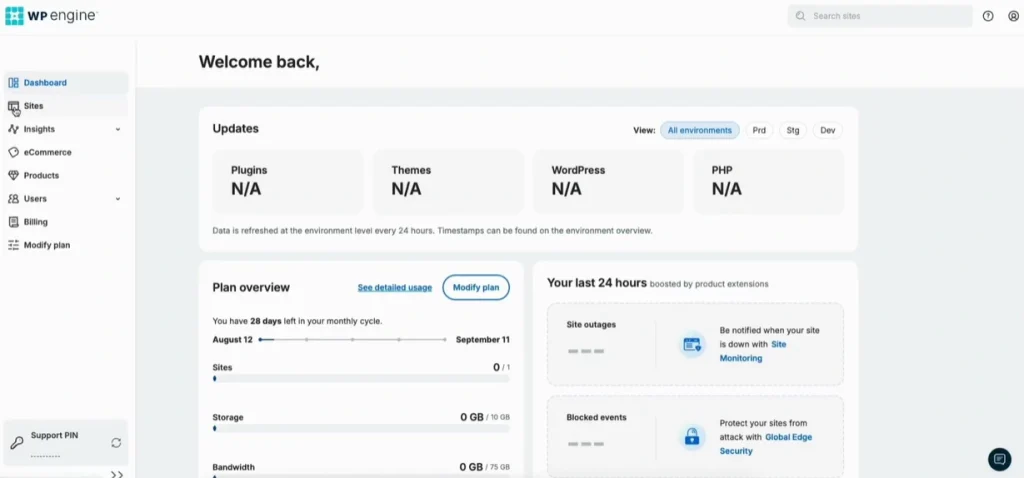
WP Engine is built for website owners who want more than basic hosting and need tools to develop, test, and maintain WordPress sites. It is particularly useful for agencies, developers, and businesses that regularly update their websites or manage projects for clients.
The platform includes EverCache for WordPress caching, a global CDN, automatic backups, and one-click staging environments. WP Engine also provides development tools, GitHub Actions integration, and WordPress-focused technical support. These features help teams manage website changes without relying on separate tools for every task.
Why Choose WP Engine Over WPX?
- You need a development-focused workflow: WP Engine provides staging and development environments, local development tools, and deployment options that help developers test and release website changes.
- You manage websites for clients: Transferable sites make it easier for agencies and freelancers to build websites and hand them over to clients.
- You want built-in performance tools: EverCache and the global CDN help deliver cached content efficiently, while available performance tools help identify areas that need improvement.
- You need WordPress-specific technical support: WP Engine provides 24/7 access to support specialists with WordPress expertise, which can be useful when troubleshooting hosting or website issues.
WP Engine is particularly suitable for agencies, developers, and businesses that value development tools and structured website management. For a straightforward blog or affiliate website, WPX may be sufficient, while WP Engine makes more sense when its additional development and management features fit your workflow.
Before deciding, explore my WPX vs WP Engine comparison to see how the two hosting providers differ.
6. Hostinger
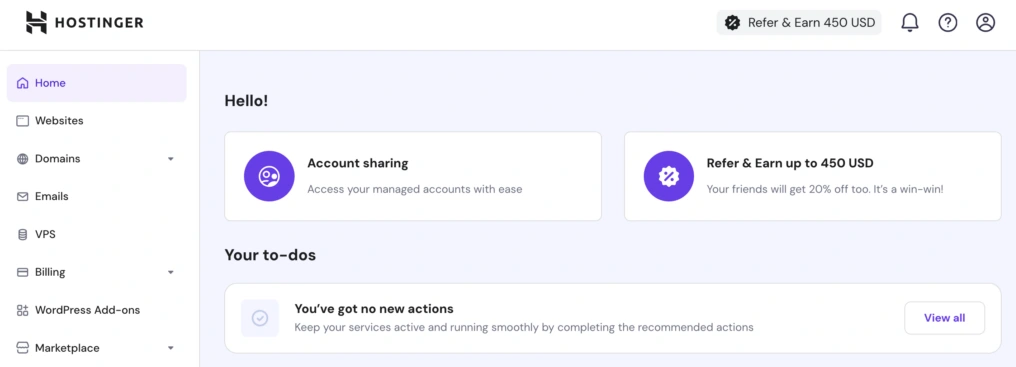
Paying for premium managed WordPress hosting may not make sense if you’re running a new blog, a small business website, or an affiliate site with a limited budget. Hostinger offers a more affordable way to host WordPress websites, with plans ranging from basic shared hosting to cloud hosting for websites that need more resources.
Hostinger includes a custom control panel called hPanel, a free SSL certificate, automatic backups on eligible plans, and WordPress management tools. Its higher-tier plans also include features such as staging, object caching, and additional website resources. However, features and backup frequency vary by plan.
Why Choose Hostinger Over WPX?
- You want to reduce hosting costs: Hostinger’s introductory prices are generally lower than WPX’s, making it appealing to bloggers and website owners trying to keep expenses down.
- You’re launching your first WordPress website: Its beginner-friendly hPanel and WordPress installation tools make it easier to get started without dealing with complex server settings.
- You need to host several websites: Eligible plans let you host multiple websites under one account, which can be useful if you operate several blogs or niche websites.
- You want room to upgrade: You can move from shared hosting to a higher-tier or cloud hosting plan as your website grows, depending on your resource requirements.
Hostinger is a practical choice for bloggers, affiliate marketers, and small businesses that want to keep hosting costs low. WPX is more focused on managed WordPress hosting, so it may suit website owners who prioritize its particular hosting services and support experience over a lower starting price.
Which WPX Alternative Is Best for Your Needs?
1. Best for Bloggers and Affiliate Websites
Recommended: Hostinger
If you’re running a blog or affiliate website and want to keep more money in your pocket, Hostinger is worth considering. You can host a WordPress site at a lower introductory price than WPX, which can make a difference when you’re managing several content websites. Just keep in mind that renewal prices and included features vary by plan.
2. Best for High-Traffic WordPress Websites
Recommended: Kinsta
For an established website that gets a lot of traffic, I’d look at Kinsta’s managed WordPress plans. Its analytics help you track visits, bandwidth, CDN usage, and PHP performance, so you can get a clearer picture of how your site is using its resources. Make sure the plan’s visit and resource limits fit your website.
3. Best for Agencies Managing Multiple Websites
Recommended: WP Engine
If you build WordPress websites for clients, WP Engine has tools that can make your workflow easier. Transferable sites let you develop a project before handing it over to a client, while staging environments help you test changes before they go live. These features are more useful to agencies than to someone running a single blog.
4. Best for WooCommerce Stores
Recommended: Pressable
Running an online store means dealing with dynamic pages, orders, customer accounts, and checkout processes. Pressable offers managed WordPress hosting with dedicated PHP resources and frequent backups, making it a provider worth considering for WooCommerce websites.
5. Best for Business-Critical Websites
Recommended: Kinsta
If your website generates leads, supports customers, or contributes directly to your revenue, I’d give Kinsta a closer look. Its managed hosting, backups, staging environments, and monitoring tools can help with day-to-day website management and troubleshooting.
6. Best for Developers Who Need More Control
Recommended: Cloudways
Cloudways is a better fit if you want to choose your cloud infrastructure and adjust server resources as your project grows. You can manage multiple applications on a server and scale resources when needed. It does require more involvement with server settings than a straightforward managed WordPress service like WPX.
7. Best for People Moving Away From Expensive Hosting
Recommended: Hostinger
If you’re paying for premium hosting but only using the basics, Hostinger could help reduce your hosting bill. It’s particularly worth considering for smaller blogs and affiliate websites that don’t need all the features of a premium managed hosting plan.
8. Best for Users Who Want Minimal Technical Management
Recommended: Pressable
If you don’t want to spend your time dealing with server settings, Pressable keeps the focus on managed WordPress hosting. Features such as automatic backups, staging environments, and WordPress-focused support help you concentrate on publishing content or running your business rather than managing the hosting environment.
9. Best for Websites That Need Dedicated Server Resources
Recommended: ScalaHosting
Some websites eventually need more CPU and RAM than a basic hosting plan provides. ScalaHosting’s managed cloud VPS plans offer dedicated resources, while its SPanel control panel makes common hosting tasks easier to manage. I’d consider it for a growing website that needs more predictable resources without wanting to manage every server task manually.
10. Best for Growing Websites That Need Flexible Cloud Hosting
Recommended: Cloudways
If your website’s resource needs change as traffic grows, Cloudways gives you more flexibility over your cloud hosting setup. You can choose from supported cloud providers and adjust server resources without moving to a completely self-managed server. It’s a useful option for website owners who have outgrown basic hosting and want more control over how their sites are hosted.
Frequently Asked Questions
What is the best alternative to WPX Hosting?
If you’re happy with managed WordPress hosting but want to try another provider, take a look at Kinsta or Pressable. On the other hand, Hostinger makes more sense if you’re trying to cut hosting costs, while Cloudways is worth considering if you want more control over your server.
Is there a cheaper alternative to WPX Hosting?
Yes. Hostinger is worth a look if you want to spend less on hosting. Its introductory plans are generally more affordable, making it a practical option for blogs and affiliate websites. Just remember that renewal prices can be higher than the initial offer.
Which WPX alternative is best for a high-traffic website?
Kinsta is worth considering if your website receives substantial traffic and you want managed WordPress hosting with detailed performance analytics. Check its plan limits against your site’s actual traffic and resource usage before choosing a plan.
Is Cloudways better than WPX Hosting?
Cloudways is a better fit if you want to choose your cloud provider and adjust server resources as your website grows. WPX is easier to manage if you prefer a more straightforward WordPress hosting experience without dealing with as many server settings.
Which WPX alternative is best for WooCommerce?
Pressable is a strong option for WooCommerce stores. It offers managed WordPress hosting, dedicated PHP resources, and frequent backups, which are useful when your website handles orders and other dynamic requests.
Can I move my website from WPX to another hosting provider?
Yes. You can move your WordPress files, database, images, and content to another host without rebuilding your website from scratch. Several providers offer migration assistance. Keep a full backup and test your site on the new host before changing your domain’s DNS settings.
Which WPX alternative is best for agencies?
WP Engine is worth considering if you build websites for clients. Its transferable sites and staging environments make it easier to develop projects, test changes, and hand websites over to clients. Cloudways is another option if you need more control over server resources.
Is ScalaHosting a good alternative to WPX?
ScalaHosting is worth considering if you want a managed cloud VPS with dedicated CPU and RAM. Its SPanel control panel gives you more control over hosting settings than a typical managed WordPress setup. If you don’t need VPS resources, WPX may be simpler for your needs.
Should I switch from WPX Hosting?
If WPX is handling your traffic well and you’re happy with its support, there’s no need to switch just because another provider offers different features. But if hosting costs are becoming a problem or you’ve outgrown your current plan, moving to a provider that better fits your needs could be worthwhile.
Final Verdict: Which WPX Alternative Should You Choose?
If I were choosing a WPX alternative, I’d start with Hostinger for a lower-cost blog or affiliate website, Kinsta for premium managed hosting, and Pressable for a WooCommerce store. If I needed more control over server resources, I’d look at Cloudways or ScalaHosting instead.
Before making the move, focus on what you want to improve. There’s little point in changing hosts if the new one doesn’t solve a real problem with your current setup.