
Running a WordPress site without a proper safety setup is asking for trouble. One wrong update, a broken plugin, or a failed migration can take your entire site down in minutes. And fixing it later is never as easy as it sounds.
That’s where staging, backup, and migration plugins come in. They give you a simple way to test changes, keep a copy of your site, and move everything without breaking things.
If you’re serious about your website, these aren’t optional tools. They are the basic setup you need to keep your site safe and stress-free.
What Are Staging, Backup and Migration Plugins
Think of these as your safety net while running a WordPress site. Each one handles a different situation that can easily mess things up if you’re not prepared.
- Staging: This creates a private copy of your site where you can try changes freely. Update plugins, test designs, or tweak settings without risking your live website.
- Backup: It simply keeps a saved copy of your entire site. If your site crashes or something breaks, you can bring everything back just like it was.
- Migration: This helps you move your site from one place to another without the usual mess. No broken pages, no missing data, just a smooth shift.
Why You Need These Plugins
Things break on WordPress more often than people expect. A simple update or small change can suddenly crash your site or mess up your design.
- Avoid losing your work: If your site goes down, a backup lets you restore everything quickly instead of starting from scratch.
- Test without fear: Staging lets you try changes safely. You don’t have to worry about breaking your live site while experimenting.
- Move your site easily: Switching hosting or domains becomes simple. Migration plugins handle everything without technical hassle.
- Save time and stress: Instead of fixing problems manually, you can solve them in a few clicks and move on.
WordPress Plugin Comparison (Backup, Staging and Migration)
| Feature | UpdraftPlus | Duplicator | All-in-One WP Migration | WP Staging | BlogVault | Jetpack VaultPress Backup |
|---|---|---|---|---|---|---|
| Main focus | Backup + migration | Migration + backup | Migration (simple) | Staging | All-in-one | Backup (real-time) |
| Backup type | Scheduled + manual | Manual + scheduled (Pro) | Export-based backup | Limited (Pro) | Real-time + scheduled | Real-time incremental |
| Migration support | Yes (paid add-on) | Strong | Very easy | Limited | Yes | Yes |
| Staging feature | No | No | No | Yes (core feature) | Yes | No |
| Ease of use | Easy | Medium | Very easy | Easy | Very easy | Very easy |
| Cloud storage | Yes (free + paid) | Yes (paid) | Yes (paid extensions) | No (free) | Yes (included) | Yes (included) |
| Restore process | One-click | Installer + manual options | One-click import | Push to live (Pro) | One-click | One-click |
| Best use case | Regular backups | Site migration & cloning | Quick migrations | Safe testing | Complete solution | High-activity sites |
| Free version | Yes | Yes | Yes (limited size) | Yes | Yes | No |
| Pricing & Sites | $70/yr (2 Sites) | $69/yr (2 Sites) | $99/yr (50 Sites) | $104/yr (1 Site) | $49.50/yr (1 Site) | $119/yr (1 Site) |
6 Best WordPress Staging, Backup and Migration Plugins (2026 Guide)
1. UpdraftPlus
If you don’t want to deal with complicated backup setups, this plugin keeps things simple. You install it, set a schedule, and it quietly takes care of your backups without needing constant attention.
When something goes wrong, you won’t be stuck figuring things out. Restoring your site is quick and straightforward, which is exactly what you need in a stressful situation.
Key features
- Automatic scheduled backups
- One-click restore option
- Cloud storage support (Google Drive, Dropbox, etc.)
- Manual backup whenever needed
Best for
- Beginners who want a simple backup solution
- Site owners who want hands-off backups
Pricing
- Free version available
- Premium version unlocks migration, advanced features, and more storage options
- Starts at $70/year
2. Duplicator
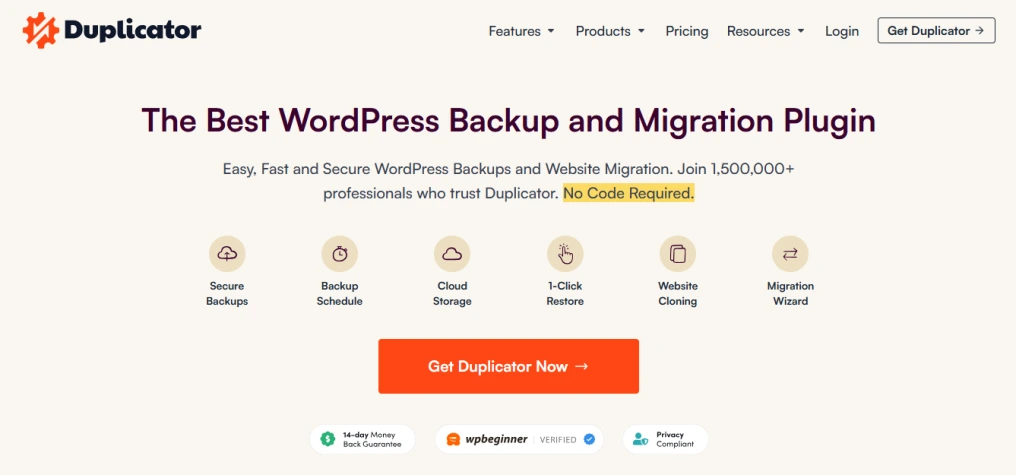
If your main goal is moving your site without breaking anything, this plugin makes the whole process feel surprisingly simple. You don’t have to mess with files, databases, or confusing steps.
It basically packs your entire website into a single bundle and lets you move it anywhere. That’s why a lot of people use it when switching hosting or creating a copy of their site.
Key features
- Full site backup in one package
- Easy site migration and cloning
- No need to manually handle database
- Works for moving sites between domains or hosts
Best for
- Users who want simple and reliable migration
- Anyone switching hosting or creating site copies
Pricing
- Free version available
- Pro version adds scheduled backups, cloud storage, and advanced migration features
- Starts at $69/year
3. All-in-One WP Migration

If you want something that just works without any setup headache, this plugin is about as simple as it gets. You export your site, import it somewhere else, and you’re done.
There’s no complicated process here. It’s made for people who don’t want to deal with technical stuff and just need a quick way to move their site.
Key features
- One-click export and import
- No technical setup required
- Works with most hosting providers
- Beginner-friendly interface
Best for
- Beginners who want the easiest migration option
- Quick site transfers without technical steps
Pricing
- Free version available with limited upload size
- Paid version removes limits and adds extra features
- Starts at $99/year
4. WP Staging

If you’re tired of making changes directly on your live site and hoping nothing breaks, this plugin fixes that problem. It creates a separate copy of your site where you can test things safely.
You can try new plugins, update themes, or tweak settings without risking your actual site. Once everything looks good, you can push changes live without stress.
Key features
- One-click staging site creation
- Safe testing environment
- Push changes from staging to live site
- Quick setup with minimal configuration
Best for
- Users who want to test changes safely
- Site owners who regularly update plugins or themes
Pricing
- Free version available with basic staging
- Pro version adds push-to-live and advanced features
- Starts at $104/year
5. BlogVault

If you want everything in one place without juggling multiple plugins, this one does the job. It handles backups, staging, and migration together, so you don’t have to think about separate tools.
It runs independently from your site, which means even if your site crashes, your backups are still safe. That alone makes it feel more reliable than most basic plugins.
Key features
- Offsite automatic backups
- Built-in staging environment
- Easy site migration
- One-click restore
Best for
- Users who want an all-in-one solution
- Websites where reliability really matters
Pricing
- Free version available
- Paid plans start with full backup, staging, and migration features included
- Starts at $49.50/year
6. Jetpack VaultPress Backup

If your site gets regular traffic or runs something important like a store, you need backups that don’t miss anything. This plugin focuses on real-time backups, so every change is saved instantly.
It’s built to be reliable rather than flashy. You always have a recent backup ready, which makes a huge difference when something suddenly goes wrong.
Key features
- Real-time automatic backups
- One-click restore
- Activity log to track changes
- Secure cloud storage
Best for
- WooCommerce or frequently updated sites
- Users who want real-time backup protection
Pricing
- Free version available
- Paid plans start with real-time backup features included
- Starts at $119/year
How to Choose the Right Plugin
Choosing the right plugin depends on what your site actually needs. You don’t need everything, just the right tool for your situation.
- If you’re a beginner: Go with a simple backup plugin like UpdraftPlus to keep your site safe without confusion
- If you test changes often: Use a staging plugin like WP Staging to avoid breaking your live site
- If you want to move your site: Pick Duplicator or All-in-One WP Migration for an easy transfer
- If you want everything in one place: Choose BlogVault to handle backup, staging, and migration together
Common Mistakes to Avoid
A lot of people install these plugins and still end up in trouble. The problem is not the tools, it’s how they use them.
- Not taking regular backups: Setting it once and forgetting it can cost you your entire site
- Testing directly on live site: One small mistake can break everything in seconds
- Storing backups on same server: If hosting fails, your backups go with it
- Ignoring backup checks: A backup is useless if it doesn’t actually work
- Using too many plugins: Adding multiple similar plugins can slow down your site and create conflicts
FAQs
Which plugin is best for WordPress staging?
WP Staging is the best choice if you want a simple way to create a staging site and test changes safely.
Which plugin is best for WordPress backups?
UpdraftPlus is a reliable option for automatic backups and easy restore without any complexity.
Which plugin is best for WordPress migration?
All-in-One WP Migration is the easiest plugin for moving your site without technical steps.
Which plugin offers backup, staging, and migration together?
BlogVault is a complete solution that handles all three in one place.
Which is the easiest migration plugin for beginners?
All-in-One WP Migration is beginner-friendly with simple export and import.
How often should I back up my WordPress site?
Daily backups work for most sites, but if your site updates often, go for more frequent backups.
Final Verdict
If you want something simple and reliable, UpdraftPlus is the best starting point for backups. It’s easy to use and does exactly what most sites need.
For moving your site, Duplicator or All-in-One WP Migration are solid choices. Both make migration simple without technical steps.
If you care about testing changes safely, WP Staging is a must-have. It helps you avoid breaking your live site.
And if you prefer everything in one place, BlogVault is the cleanest all-in-one solution, while Jetpack VaultPress Backup is perfect for sites that need real-time protection.
What works well here is the clarity around real-world use cases. A lot of plugin lists just repeat features, but this actually separates them based on what someone is trying to do (backup, migrate, or test safely). That alone makes it more usable than most comparison posts.
The staging vs backup vs migration distinction is also explained in a way beginners can actually understand without needing prior technical knowledge, which is often where guides like this fall apart.
The comparison table is useful, but the real value is in how each tool is positioned around intent—like “move a site,” “test safely,” or “set-and-forget backups.” That’s how people actually choose tools, not by feature lists.
If there’s one thing that could make it even stronger, it would be adding a short “real scenario” example per plugin (like a broken update recovery, or a failed migration). That would help bridge the gap between features and lived experience.