


ScalaHosting and SiteGround both offer fast, secure, and reliable web hosting services. But is SiteGround worth its higher renewal prices, or does ScalaHosting offer better value with its managed cloud VPS hosting and SPanel?
The differences go beyond pricing, especially when it comes to performance, server resources, and WordPress features.
In this ScalaHosting vs SiteGround comparison, I’ll compare their pricing, speed, uptime, security, features, and support to help you decide which host is worth your money.
ScalaHosting vs SiteGround: Side-by-Side Comparison
Here’s a quick side-by-side comparison of ScalaHosting and SiteGround in 2026, covering their pricing, performance, hosting features, security, and support.
| Feature | ScalaHosting | SiteGround |
|---|---|---|
| Founded | 2007 | 2004 |
| Headquarters | Dallas, Texas (private company) | Sofia, Bulgaria |
| Hosting types | Shared / Mini, reseller, managed cloud VPS | Shared, WordPress, and WooCommerce |
| Standout features | SPanel (no cPanel fee), SShield, SWordPress Manager, choice of web server, reserved CPU/RAM on cloud, no visit cap, free migrations, prorated refunds after 30 days | Google Cloud, SuperCacher, free CDN, Ultrafast PHP on higher plans, Site Tools, Speed Optimizer + Security Optimizer, phone support |
| Infrastructure | Own sites (Dallas, New York, Seattle, Sofia) plus AWS and partner regions. Reserved resources on VPS/cloud. Shared on Mini | Google Cloud Platform only |
| Storage type | NVMe SSD | SSD on shared (Google persistent disk) |
| Uptime & Current status | 99.99% SLA on managed cloud (TOS). No public status page | 99.9% guarantee. No public status page. Notes in the Client Area |
| Caching | OpenLiteSpeed + LiteSpeed Cache. Memcached included. Redis on request. Free Cloudflare in SPanel. QUIC.cloud often used with LiteSpeed | SuperCacher: NGINX Direct Delivery, Dynamic Cache (on by default), Memcached. Speed Optimizer plugin |
| Object cache | Memcached included. Redis on request | Memcached via SuperCacher |
| Site migration | Yes, free migration by team | Free WP Migrator plugin, Paid migration by team at €30 |
| Staging | Staging + clone in SWordPress Manager | GrowBig and GoGeek only. Not on StartUp |
| Automatic updates | Core / plugin / theme in SWordPress Manager. OS updates on managed VPS | WordPress core (delay or skip). Plugins and themes separate |
| Control panel | SPanel. Paid cPanel optional | Site Tools |
| Website builder | No | SiteGround Website Builder + full WordPress |
| One-click installer | Softaculous + SWordPress Manager | Site Tools CMS installer |
| Collaborators / clients | Collaborators and branding in SPanel | Collaborators. White label on GoGeek |
| Free email | Yes | Yes |
| Data centers | Total 24 locations | 11 Google Cloud cities, 4 continents |
| CDN | Free Cloudflare in SPanel | Free SiteGround CDN, 170+ edges |
| Free SSL | Yes | Yes |
| Malware protection | SShield: live monitoring, IP blocks, alerts, blacklist checks. No free full rebuild if already hacked | Security Optimizer, account isolation, patches, anti-bot. Help after a hack. No cleanup SLA |
| Firewall | ModSecurity + SShield + CSF. Cloudflare WAF if Cloudflare is on | Custom WAF + anti-bot |
| DDoS protection | Cloudflare + SShield/CSF. Not Enterprise DDoS on every plan | Network filter + WAF / anti-bot |
| Account isolation | Separate VPS/cloud accounts. Mini is still shared | LXC containers on shared |
| Automatic backups | Offsite daily + on-demand + VPS snapshots | Daily files, databases, and email |
| Backup frequency | Daily. Hourly/weekly in newer SPanel tools | Daily on all plans. On-demand on GrowBig and GoGeek |
| Backup retention | 7 days / 7 restore points default | 30 days on shared. 7 days on their cloud |
| SSH | Cloud/VPS and most managed plans | All plans, limited to your account |
| SFTP | Yes | Yes |
| Git | Over SSH + SPanel developer tools | GoGeek and Cloud only |
| WP-CLI | Yes, in SPanel | Yes, all plans |
| Cron jobs | SPanel scheduler + real server cron | Site Tools cron |
| Root access | Yes on VPS/cloud (managed, not a raw unmanaged box) | No on shared. Cloud is still their managed platform |
| Support channels | 24/7 chat + tickets. Chat is the main path | 24/7 chat, tickets, and phone |
| Priority support | Same chat queue | GoGeek priority queue |
| Support quality | ~15-second chat pickup and ~98.9% satisfaction. Known for humans, not scripts | WordPress-aware chat. Phone helps when the site is fully down |
| Starting price | $2.95/mo | $3.99/mo |
| Renewal Price | $11.95/mo | $17.99/mo |
| Money-back guarantee | 30-day full refund for new customers, then prorated anytime on hosting | 30 days on shared/WordPress, 14 days on Cloud |
| Free domain | Yes, for the first year | Yes, for the first year |
About ScalaHosting and SiteGround
ScalaHosting Overview
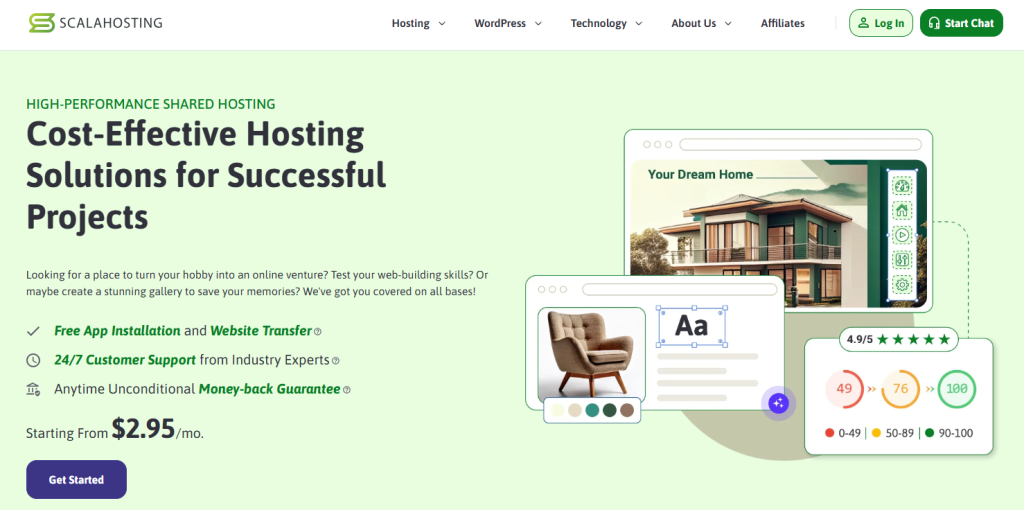
ScalaHosting started in 2007 and has built its name around affordable managed cloud VPS hosting.
Along with VPS hosting, it offers:
- Shared hosting for blogs and small websites
- WordPress hosting
- Reseller hosting for agencies and developers
- Managed cloud VPS hosting for growing websites
The biggest highlight is SPanel, ScalaHosting’s alternative to cPanel. You get website management, email accounts, backups, and security tools without paying extra for a cPanel license.
Another thing worth mentioning is its managed VPS hosting. You get dedicated server resources while ScalaHosting takes care of server maintenance and technical management.
SiteGround Overview

SiteGround has been around since 2004 and is especially popular for WordPress hosting. It currently serves over 3 million domains worldwide.
Its hosting options include:
- Shared hosting for blogs and business websites
- Managed WordPress hosting
- WooCommerce hosting for online stores
- Cloud hosting for resource-heavy websites
SiteGround uses Google Cloud infrastructure and its own Site Tools dashboard instead of cPanel.
You also get daily backups, built-in caching, and WordPress management tools. Staging is available on higher shared hosting plans.
Performance and Speed
Both ScalaHosting and SiteGround offer fast hosting, but the real difference is in their server technology, caching systems, and how they handle busy websites.
ScalaHosting Performance
ScalaHosting has some strong performance features, especially with its managed cloud VPS hosting.
Its VPS plans use NVMe SSD storage, processors running at speeds of up to 4.1 GHz, and dedicated CPU and RAM resources. This gives growing websites more room to handle traffic and resource-heavy tasks.
Here’s what stands out:
- NVMe SSD Storage: Speeds up file access and database operations.
- OpenLiteSpeed + LiteSpeed Cache: Helps WordPress pages load faster by serving cached content.
- Redis Object Caching: Reduces repeated database queries on supported configurations.
- Dedicated CPU and RAM: Keeps your allocated VPS resources available for your websites.
- Scalable Resources: Upgrade CPU, RAM, and storage as your traffic grows.
Another useful feature is SPanel’s WordPress optimization. On managed VPS plans using LiteSpeed or OpenLiteSpeed, it handles caching, Redis configuration, and other WordPress speed settings.
For busy blogs, WooCommerce stores, and websites with growing traffic, ScalaHosting’s managed VPS plans have a lot to offer.
SiteGround Performance
SiteGround runs its hosting platform on Google Cloud infrastructure, with SSD storage and several built-in speed optimization tools.
Its biggest strength is SuperCacher, which helps WordPress websites load faster without requiring much manual configuration.
Here’s what you get:
- Google Cloud Infrastructure: Provides fast networking and SSD-based storage.
- NGINX Direct Delivery: Serves static files such as images, CSS, and JavaScript efficiently.
- Dynamic Caching: Stores generated pages to reduce PHP processing and improve server response times.
- Memcached: Reduces database queries by storing frequently requested data in memory.
- Speed Optimizer Plugin: Includes image optimization, code minification, and WordPress caching controls.
- SiteGround CDN: Helps deliver website content faster to visitors in different locations.
SiteGround says its Dynamic Caching and Memcached technologies deliver up to 5x faster website performance compared with using static caching alone.
What I like about SiteGround is that its caching system is already enabled at the server level. You also get the Speed Optimizer plugin to manage additional WordPress optimizations.
Which One Is Faster?
ScalaHosting is my pick for performance on managed VPS plans. Its dedicated CPU and RAM resources, NVMe storage, and LiteSpeed caching options make it a strong choice for growing websites and online stores.
SiteGround is better for WordPress users who want built-in speed optimization on shared hosting. Its SuperCacher, Google Cloud infrastructure, and Speed Optimizer plugin take care of most everyday performance needs.
Winner: ScalaHosting for managed VPS performance, while SiteGround is a strong choice for WordPress speed on shared hosting.
Ease of Use
ScalaHosting and SiteGround both have their own control panels instead of relying entirely on cPanel.
You get the usual website management tools with both, but SiteGround keeps things simpler for beginners, while ScalaHosting gives you more control over your hosting setup.
ScalaHosting Ease of Use
ScalaHosting uses SPanel on its managed cloud VPS plans. It’s a good alternative to cPanel, especially if you want to manage multiple websites without dealing with complicated server commands.

From SPanel, you get access to:
- WordPress Manager: Install WordPress, update plugins, and manage themes from one place.
- One-Click Staging: Test website changes before publishing them.
- File and Database Manager: Edit website files and manage databases.
- Email Management: Create email accounts, forwarders, and spam filters.
- Backup Manager: Create and restore website backups.
- Server Management: Check resource usage, change PHP versions, and manage server settings.
One thing I like about SPanel is that it combines everyday website tools with more advanced VPS controls.
You don’t need to use SSH commands for routine tasks, and ScalaHosting handles the server maintenance on its managed VPS plans.
However, if you’re completely new to hosting, the extra server settings might take some time to get used to.
SiteGround Ease of Use
SiteGround uses Site Tools, a custom control panel that is particularly easy to navigate.
Unlike traditional cPanel, Site Tools gives each website its own management area. This keeps website settings separate, which is handy if you run multiple WordPress sites.

Here are some useful features:
- WordPress Installation: Set up a new WordPress website in a few clicks.
- Site Tools Dashboard: Manage domains, files, databases, emails, and SSL certificates.
- WordPress Starter: Helps beginners set up their first WordPress website.
- WordPress Migrator: Move an existing WordPress website using a free migration plugin.
- Backup Management: Access daily backups and restore your website.
- Staging Tool: Test changes on a copy of your website, available on GrowBig and GoGeek plans.
Another thing worth mentioning is SiteGround’s Speed Optimizer plugin. You get WordPress caching and optimization settings directly inside your WordPress dashboard.
For someone starting a blog or business website, SiteGround makes the setup and everyday management pretty straightforward.
Which One Is Easier to Use?
SiteGround wins for beginners. Its Site Tools dashboard is clean, WordPress setup is simple, and most everyday hosting settings are easy to find.
ScalaHosting isn’t difficult to use either. In fact, SPanel is better suited to users who want more server control, especially when managing multiple websites on a VPS.
Winner: SiteGround – better for beginners and anyone who prefers simple WordPress website management.
Data Centers and CDN
ScalaHosting Data Centers and CDN
ScalaHosting offers 24 data center locations worldwide, including its own servers and locations through AWS and integrated cloud partners.

These locations are spread across:
- North America: 7 locations
- Europe: 12 locations
- Asia-Pacific: 5 locations
Of these, 4 locations use ScalaHosting’s own infrastructure in Dallas, New York, Seattle, and Sofia. The remaining 20 are available through cloud partners.
ScalaHosting also supports Cloudflare CDN integration, giving you access to a global network for delivering cached website content.
Keep in mind that server location availability depends on your hosting plan.
SiteGround Data Centers and CDN
SiteGround has 11 data centers across 4 continents, powered by Google Cloud infrastructure.

It also includes its own free CDN with 170+ edge locations worldwide.
Here’s what stands out:
- 11 Data Centers: Spread across North America, Europe, Asia, and Australia.
- 170+ CDN Locations: Deliver cached content closer to visitors worldwide.
- Free CDN: Included with SiteGround hosting.
- Easy Setup: Activate and manage the CDN directly from Site Tools.
Unlike ScalaHosting, which relies on Cloudflare integration, SiteGround provides its own CDN built into its hosting platform.
Which One Is Better?
ScalaHosting wins for server location choices, with 24 locations compared to SiteGround’s 11.
However, SiteGround has the edge in CDN convenience, with its own free CDN and 170+ edge locations.
Winner: SiteGround for CDN, ScalaHosting for data center choices.
Security and Backups
Both ScalaHosting and SiteGround include free SSL certificates, malware protection, firewalls, and automatic backups.
However, ScalaHosting offers more security controls through SPanel, while SiteGround has a better backup retention policy on its shared hosting plans.
ScalaHosting Security and Backups
ScalaHosting comes with SShield Security, its own real-time protection system that monitors websites for suspicious activity.
According to ScalaHosting, SShield blocks 99.998% of web attacks before they reach your website.
Here’s what you get:
- SShield Security: Monitors websites for malware and suspicious activity in real time.
- WP Lock: Protects WordPress files against unauthorized changes.
- Free SSL Certificates: Encrypts data exchanged between your website and visitors.
- Firewall Protection: Blocks suspicious traffic and unauthorized access attempts.
- Automatic Daily Backups: Saves copies of website files and databases.
- Offsite Backups: Stores backup copies away from your hosting server.
One feature I particularly like is WP Lock, which adds extra protection to WordPress files. It’s useful for preventing unauthorized file changes.
ScalaHosting’s SPanel also gives managed VPS users more control over backups, including backup schedules, retention settings, and remote storage options.
Just remember that SShield and WP Lock are available on SPanel-based plans, so security features differ depending on your hosting package.
SiteGround Security and Backups
SiteGround includes several security features with its hosting plans, including an AI-powered anti-bot system, a web application firewall (WAF), and automatic security updates.
Its anti-bot system blocks over 500 million malicious requests per hour across its hosting network, according to SiteGround.
Here’s what’s included:
- AI Anti-Bot Protection: Blocks malicious bots and suspicious traffic.
- Web Application Firewall: Protects websites against common web attacks.
- Free SSL Certificates: Secures website connections with HTTPS.
- Security Optimizer Plugin: Adds WordPress login protection, two-factor authentication, and other security settings.
- Account Isolation: Keeps hosting accounts separated for better security.
- Daily Backups: Automatically saves website files, databases, and emails.
SiteGround also has a strong backup system.
On its shared hosting plans, you get up to 30 daily backup copies, while cloud hosting includes up to 7 daily copies.
You also get free backup restores on shared hosting. GrowBig and GoGeek include five manual backup slots, which are handy before updating WordPress, changing themes, or installing new plugins.
Which One Offers Better Security and Backups?
ScalaHosting has the advantage in security controls, especially on managed VPS plans with SShield, WP Lock, and flexible SPanel backup settings.
However, SiteGround is better for automatic backup retention on shared hosting, with up to 30 daily backup copies and free restores.
For a regular WordPress website, I’d give SiteGround the edge because of its built-in security tools and backup history.
Winner: SiteGround for overall security and backup convenience, while ScalaHosting is a strong choice for users who want more control over VPS security and backups.
Developer Tools
Both ScalaHosting and SiteGround provide SSH access, Git, WP-CLI, PHP management, and staging tools. But ScalaHosting gives developers more server-level control, especially with its managed cloud VPS plans.
ScalaHosting Developer Tools
ScalaHosting includes a good range of developer tools with its SPanel-powered managed VPS hosting.
Here’s what you get:
- SSH and Git Access: Manage server files, work with code repositories, and deploy updates.
- WP-CLI: Manage WordPress installations, plugins, themes, and updates using commands.
- Multiple PHP Versions: Choose different PHP versions for individual websites and subdomains.
- Node.js Manager: Manage Node.js applications directly from SPanel.
- Composer, npm, and Yarn: Run common development tools without installing them separately.
- WordPress Staging: Create a test copy of your WordPress website before making changes live.
- Cron Jobs: Schedule scripts and recurring tasks.
- Root Access: Available on managed VPS plans upon request.
What I like about ScalaHosting is the extra freedom you get with its VPS plans. You’re not limited to standard WordPress tools. You also have access to server settings, different web server options, and the SPanel API.
For developers working on custom applications or managing several client websites, these extra controls are useful.
SiteGround Developer Tools
SiteGround also provides plenty of developer tools, and most of them are available directly through its Site Tools dashboard.
Here’s what’s included:
- SSH and SFTP Access: Securely access website files and run commands.
- Git Integration: Create repositories, track code changes, and manage deployments.
- WP-CLI: Manage WordPress websites through the command line.
- PHP Version Manager: Switch between supported PHP versions and adjust PHP settings.
- WordPress Staging: Test website changes before publishing them, available on GrowBig and GoGeek plans.
- Database Management: Manage MySQL databases through phpMyAdmin.
- Cron Jobs: Automate scheduled scripts and website tasks.
One thing worth highlighting is SiteGround’s staging tool. You get a copy of your website for testing, and once everything works, you push the changes to your live site.
SiteGround also lets you choose which database changes to transfer, which is useful when working on busy WordPress websites.
The main limitation is server access. SiteGround’s shared hosting plans don’t provide root access, so advanced server configuration is restricted.
Which One Is Better for Developers?
ScalaHosting is better for developers who need server-level control. Its managed VPS plans offer root access upon request, Node.js tools, Git, SSH, and more freedom to configure the hosting environment.
SiteGround is a good choice for WordPress developers. Its Git integration, staging tool, WP-CLI, and PHP management cover most WordPress development tasks.
Winner: ScalaHosting – especially for developers working with custom applications, VPS servers, and advanced hosting configurations.
Customer Support
Both ScalaHosting and SiteGround offer 24/7 customer support, but there are some differences in response times, contact options, and technical assistance.
ScalaHosting advertises an average live chat response time of 15 seconds and ticket responses within 15 minutes. It also includes hands-on server management support with its managed VPS plans.
SiteGround provides live chat, phone, and ticket support. However, you’ll need to go through its Help Center before reaching the available contact options.
Here’s a quick comparison:
| Support Features | ScalaHosting | SiteGround |
|---|---|---|
| 24/7 Live Chat | Yes | Yes |
| Phone Support | Mainly pre-sales | Yes, when available |
| Ticket Support | 24/7 | 24/7 |
| Live Chat Response | 15 seconds average | No fixed time |
| Ticket Response | Within 15 minutes | No fixed time |
| WordPress Assistance | Yes | Yes |
| Managed VPS Support | Yes | Managed cloud support |
| Knowledge Base | Yes | Yes |
| Server Management | Included with managed VPS | Included with managed cloud hosting |
Which Host Offers Better Support?
ScalaHosting takes the lead in customer support, particularly for managed VPS users who need help with server configuration, maintenance, and technical problems.
SiteGround is still a good option for WordPress beginners, especially with its phone support and detailed Help Center.
Winner: ScalaHosting – for direct technical assistance and faster response times.
Pricing
ScalaHosting and SiteGround have similar introductory prices, but ScalaHosting is cheaper when it comes to renewal costs and managed cloud hosting.
SiteGround starts at $3.99/month, while ScalaHosting starts at $2.95/month. The bigger price difference comes after the initial billing term.
Side-by-Side Pricing Comparison
| Pricing Details | ScalaHosting | SiteGround |
|---|---|---|
| Starting Price | $2.95/mo | $3.99/mo |
| Renewal Price | $11.95/mo | $17.99/mo |
| Site, Storage | 1 Site, 10 GB NVMe | 1 Site, 10 GB SSD |
| Managed Cloud Starting Price | $26.95/mo (VPS) $54.95/mo at renewal | $100/mo |
| Free SSL | Yes | Yes |
| Free Email Hosting | Yes | Yes |
| Money-Back Guarantee | Anytime, Full refund within 30 days | 30 days (shared hosting), 14 days (cloud hosting) |
Which Hosting Provider Offers Better Value?
ScalaHosting is the better choice for long-term pricing. Its entry-level plan renews at $11.95/month, compared with $17.99/month for SiteGround.
SiteGround has competitive introductory prices and includes useful WordPress tools, but its renewal costs are much higher.
Winner: ScalaHosting – lower renewal prices and more affordable managed cloud VPS hosting.
Pros and Cons
Both hosting providers have their strengths, but neither is perfect. Here’s a quick look at what each one does well and where it falls short.
ScalaHosting Pros
- Lower renewal prices compared to SiteGround.
- Affordable managed cloud VPS hosting with dedicated CPU and RAM.
- SPanel provides an alternative to cPanel without extra licensing fees.
- SShield security protection and WordPress security tools.
- More data center choices through its cloud partners.
- 24/7 customer support with fast response times.
- Free website migration and SSL certificates.
ScalaHosting Cons
- SPanel takes some getting used to if you’re familiar with cPanel.
- Advanced server features are mainly available on managed VPS plans.
- Cloudflare CDN requires separate setup.
- Entry-level shared hosting has limited storage.
SiteGround Pros
- Beginner-friendly Site Tools dashboard.
- Built-in SuperCacher and WordPress Speed Optimizer.
- Google Cloud infrastructure.
- Free CDN with 170+ edge locations.
- 30 daily backup copies on shared hosting.
- WordPress staging on GrowBig and GoGeek plans.
- 24/7 support with phone assistance.
SiteGround Cons
- Much higher renewal prices after the introductory period.
- Managed cloud hosting starts at $100/month.
- No root access on shared hosting plans.
- WordPress staging isn’t included with StartUp.
- Storage limits on all shared hosting plans.
- Fewer data center choices compared to ScalaHosting.
Which One Should You Choose?
After comparing their pricing, performance, security, and hosting features, ScalaHosting is my overall pick, especially if you want better long-term value and affordable managed VPS hosting.
Choose ScalaHosting If:
- You want lower renewal prices and better long-term savings.
- You’re planning to upgrade from shared hosting to managed cloud VPS.
- You need dedicated CPU and RAM for a growing website.
- You prefer SPanel over paying extra for a cPanel license.
- You manage multiple websites and need more server control.
- You want hands-on technical support for VPS management.
Choose SiteGround If:
- You’re starting your first blog or WordPress website.
- You prefer a simple control panel with easy website management.
- You want built-in WordPress caching and speed optimization tools.
- You need a free CDN and automatic daily backups.
- You regularly test WordPress changes using staging tools.
- You don’t mind paying higher renewal prices for these features.
My Recommendation
I’d choose ScalaHosting for most growing websites. Its lower renewal costs, flexible VPS resources, and SPanel make it a better investment if you plan to keep your website for several years.
SiteGround is worth choosing for beginners who want easy WordPress management, built-in performance tools, and a straightforward hosting experience.
For overall value, ScalaHosting wins this comparison.
Best Alternatives to ScalaHosting and SiteGround
If ScalaHosting and SiteGround aren’t exactly what you’re looking for, there are several other hosting providers worth checking out.
Some offer better tools for WordPress developers, while others provide managed cloud servers or take care of website speed and security for you.
| Hosting | Annual Starting Price | Sites | Storage | Best For |
|---|---|---|---|---|
| WPX | $14.99/month | 1 | 10 GB | Bloggers and WordPress websites |
| Kinsta | $30/month | 1 | 15 GB | High-performance managed WordPress |
| Pressable | $20.83/month | 1 | 20 GB | WordPress and WooCommerce |
| WP Engine | $26.24/month | 1 | 10 GB | Managed WordPress websites |
| Cloudways | $11/month | Unlimited | 25 GB | Managed cloud hosting |
1. WPX – Best for Fast WordPress Hosting
WPX is a strong alternative if you mainly run WordPress websites and want hosting that doesn’t require much technical work.
Unlike ScalaHosting, which offers several hosting types, WPX is built specifically for WordPress and WooCommerce.
Its plans include:
- LiteSpeed Enterprise web servers
- Free XDN CDN with 43+ endpoints
- Daily backups and free malware removal
- Free website migrations
- 24/7 live chat support
WPX also offers a Fixed For You Guarantee, where its team helps resolve supported WordPress-related technical problems.
Best for: Bloggers, affiliate marketers, and WordPress website owners who want fast hosting with hands-on technical assistance.
Check this too: WPX vs ScalaHosting
2. Kinsta – Best for Premium WordPress Hosting
Kinsta is another option for businesses running important WordPress websites.
It provides managed WordPress hosting with Cloudflare integration, edge caching, automatic backups, staging environments, and the MyKinsta dashboard.
You also get application performance monitoring tools to help identify slow plugins, database queries, and other WordPress performance problems.
Kinsta’s single-site hosting starts at $30/month with annual billing.
Best for: Business websites, agencies, and WooCommerce stores that need advanced WordPress management and performance monitoring.
3. Pressable – Best for WordPress and WooCommerce
Pressable is owned by Automattic, the company behind WordPress.com and WooCommerce.
It provides managed WordPress hosting with automatic backups, staging, free migrations, security protection, and a global CDN.
Its Signature 1 plan costs $20.83/month with annual billing, including one WordPress installation, 20 GB storage, and up to 30,000 monthly visits.
Pressable is particularly interesting for WooCommerce users who want a hosting provider closely connected to the WordPress ecosystem.
Best for: WordPress businesses, WooCommerce stores, and agencies managing client websites.
4. WP Engine – Best for WordPress Developers
WP Engine is a premium managed WordPress hosting provider with several useful tools for developers and agencies.
Its hosting plans include automatic backups, staging environments, managed WordPress updates, and security protection.
For developers, WP Engine also provides Git integration, SSH access, and separate development environments.
The main drawback is pricing. WP Engine costs more than basic shared hosting, especially when you need additional websites or higher resource limits.
Best for: WordPress developers, agencies, and businesses that regularly build, test, and update WordPress websites.
5. Cloudways – Best for Managed Cloud Hosting
Cloudways is worth considering if you like ScalaHosting’s managed VPS hosting but want more choices when selecting cloud infrastructure.
You get managed hosting on providers such as DigitalOcean, AWS, and Google Cloud.
Cloudways includes server-level caching, staging environments, automated backups, free SSL, and options to increase server resources as your website grows.
Its DigitalOcean hosting starts at $11/month, with hourly billing available.
Best for: Growing websites, developers, and businesses that want managed cloud hosting without handling everyday server maintenance.
Check this too: Cloudways vs ScalaHosting
FAQs
Is ScalaHosting better than SiteGround?
ScalaHosting is better for long-term value, managed VPS hosting, and server customization. It offers lower renewal prices and dedicated resources on its VPS plans.
Which is faster, ScalaHosting or SiteGround?
ScalaHosting’s managed VPS plans are a strong choice for busy websites because they include dedicated CPU, RAM, and NVMe storage. SiteGround uses Google Cloud infrastructure, SuperCacher, and WordPress optimization tools to improve loading times on its shared hosting plans.
Is ScalaHosting cheaper than SiteGround?
SiteGround is better for beginners thanks to its Site Tools dashboard, SuperCacher, automatic WordPress updates, and Speed Optimizer plugin. ScalaHosting is better for growing WordPress websites that need dedicated VPS resources, LiteSpeed caching, and additional server controls.
Does ScalaHosting use cPanel?
ScalaHosting offers its own control panel called SPanel with managed VPS hosting. It includes tools for managing websites, email accounts, databases, backups, and security. SPanel doesn’t require a separate cPanel license, which helps reduce hosting costs.
Why is SiteGround more expensive than ScalaHosting?
SiteGround’s higher renewal prices reflect its managed WordPress platform, Google Cloud infrastructure, built-in CDN, caching tools, and daily backups. ScalaHosting offers lower-priced shared hosting and managed VPS options, making it more affordable for users who want to control long-term hosting expenses.
Is ScalaHosting good for WooCommerce websites?
Yes, ScalaHosting’s managed cloud VPS hosting is a good option for WooCommerce stores. Dedicated CPU and RAM resources help handle database queries, shopping carts, checkout processes, and customer sessions. Its SPanel tools also simplify server management and WordPress maintenance.
Which has better customer support, ScalaHosting or SiteGround?
Both offer 24/7 technical support. ScalaHosting provides live chat and tickets, with a typical 15-second live chat response and 15-minute ticket response target. SiteGround offers live chat, phone, and ticket assistance, along with a detailed Help Center for WordPress and hosting problems.
Conclusion
After comparing ScalaHosting and SiteGround, ScalaHosting is my overall winner for 2026. It offers lower renewal prices, affordable managed cloud VPS hosting, and more server control through SPanel.
If you’re running a growing blog, business website, or WooCommerce store, ScalaHosting is the better long-term investment, especially when you need dedicated server resources without spending too much.
SiteGround is still a great choice for beginners and WordPress users. Its easy-to-use Site Tools dashboard, built-in caching, free CDN, and automatic backups make everyday website management simple. The biggest drawback is its higher renewal pricing.