
Cloudways is popular for managed cloud hosting, but many users eventually realize it is not as beginner-friendly as it first looks. Managing servers, configuring features, handling performance issues, and paying extra for certain tools can become frustrating, especially for non-technical website owners looking for a simpler cloud hosting experience.
That is why many people start searching for better Cloudways alternatives that offer easier management, better support, stronger performance, or more affordable pricing without the technical hassle.
In this article, you will find the best Cloudways alternatives worth considering for your website.
Cloudways Alternatives – Quick Comparison
The table below shows what each platform actually offers at the entry level so you can compare them side by side without confusion.
| Feature | Cloudways | Kinsta | Pressable | ScalaHosting | WP Engine | Hostinger |
|---|---|---|---|---|---|---|
| Starting Price | $11/mo | $30/mo | $20.83/mo | $22.46/mo | $27/mo | $7.99/mo |
| Hosting Type | Managed Cloud (DO, AWS, etc.) | Managed WP (Google Cloud) | Managed WP | Managed Cloud | Managed WP | Cloud |
| Monthly Visits | No fixed limit | 35K | 30K | No fixed limit | 25K | 200K |
| Storage | 25 GB | 10 GB | 20 GB | 50 GB | 10 GB | 100 GB |
| Bandwidth | Pay-as-you-go | 20 GB | Metered | Unmetered | 70 GB | Unmetered |
| Email Hosting | No | No | No | Yes | No | Yes |
| CDN | Add-on | Included | Included | Included | Included | Included |
| Staging | Yes | Yes | Yes | Yes | Yes | Yes |
| Backup | Paid add-on | Daily free | Daily free | Included | Daily free | Weekly/Daily |
| Ease of Use | Moderate | Very Easy | Easy | Moderate | Easy | Very Easy |
| Control Level | High (full control) | Low | Low | High | Low | Low |
| Performance Style | Depends on setup | Fully optimized | Optimized WP | Depends on VPS | Highly optimized | Good for price |
| Scalability | Very high (cloud scaling) | Limited by plan | Limited by plan | High (VPS scaling) | Limited by plan | Limited |
| Best For | Control + flexibility | Hands-off performance | Multi-site WP | Control with simpler setup | Business WP sites | Beginners / budget |
5 Best Cloudways Alternatives in 2026
1. Kinsta
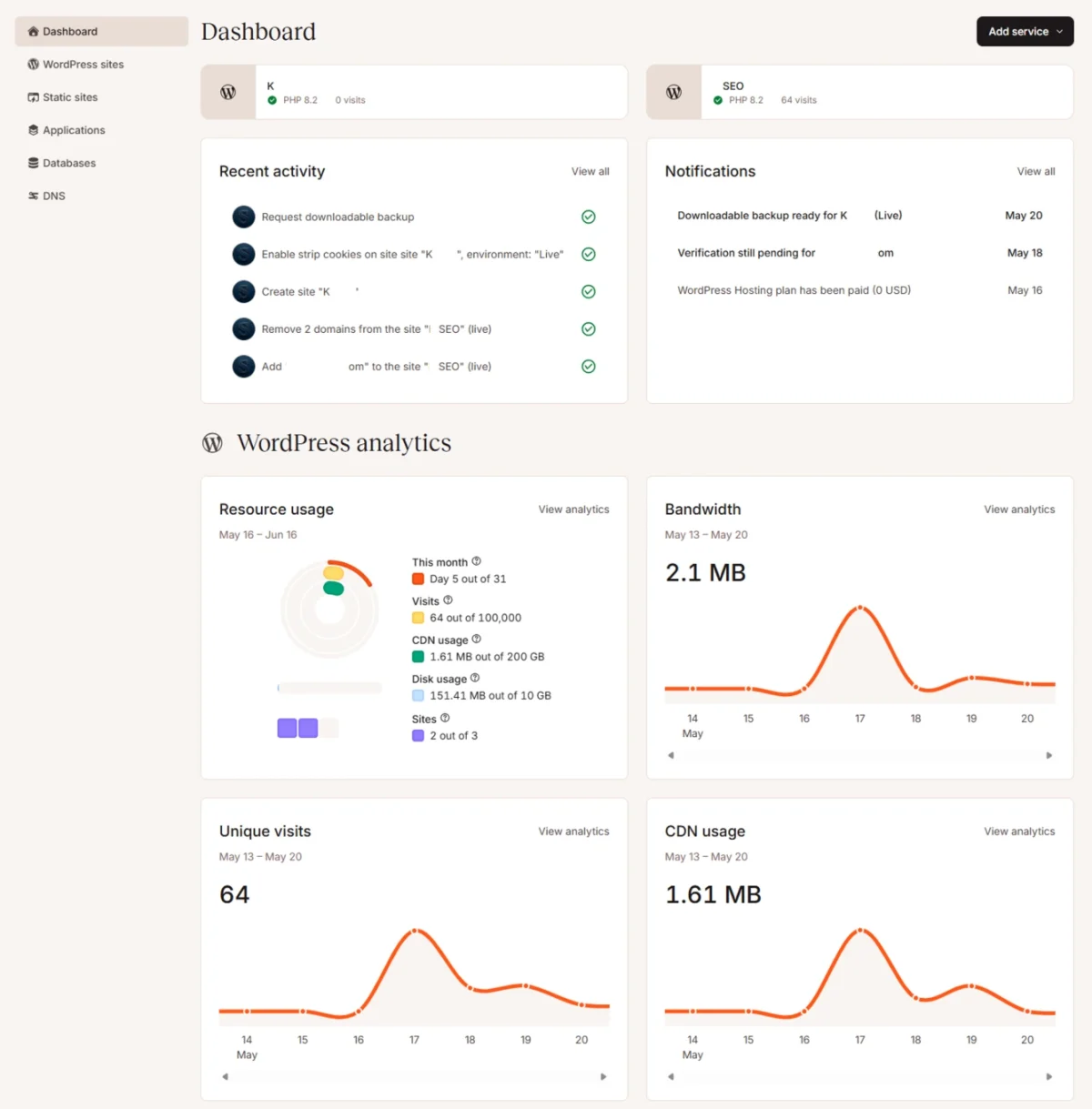
Kinsta is a premium managed WordPress hosting provider built on powerful cloud platform. It is a strong Cloudways alternative for users who want better performance, stronger security, and a completely managed hosting experience without handling server management themselves.
Unlike Cloudways, Kinsta focuses only on WordPress hosting and handles most technical tasks automatically. Features like caching, backups, CDN, security monitoring, and performance optimization are already included, which makes website management much easier.
Best For
- High-traffic WordPress websites
- WooCommerce stores
- Agencies
- Business websites
- Users who want premium managed hosting
Pros
- Excellent website speed and performance
- Easy-to-use MyKinsta dashboard
- Built-in CDN and edge caching
- Automatic backups and strong security
- Free website migrations
- Expert WordPress support available 24/7
Cons
- More expensive than Cloudways
- Only supports WordPress websites
- Less server-level flexibility
Pricing
Kinsta plans start at $30/month, which is higher than Cloudways but includes premium managed WordPress hosting features and performance tools.
To see detailed comparison with Kinsta, check this: Cloudways vs Kinsta.
2. Pressable

Pressable is a managed WordPress hosting provider backed by Automattic, the company behind WordPress.com and WooCommerce. It is a strong Cloudways alternative for users who want reliable managed hosting without handling server management or cloud configurations themselves.
Unlike Cloudways, Pressable keeps everything simple and fully optimized for WordPress websites. Features like caching, CDN, backups, security monitoring, and updates are already configured, which makes the hosting experience much easier for beginners and business owners.
Best For
- WordPress blogs
- WooCommerce stores
- Agency websites
- Membership websites
- Users who want fully managed hosting
Pros
- Built specifically for WordPress hosting
- Easy-to-use dashboard
- Strong WooCommerce optimization
- Free CDN and caching included
- Automatic backups and security monitoring
- Helpful WordPress-focused support
Cons
- Less server-level control than Cloudways
- Higher pricing than some cloud hosting providers
- Only supports WordPress websites
Pricing
Pressable plans start at $20.83/month and include managed WordPress hosting features like backups, CDN, caching, and security tools.
3. ScalaHosting
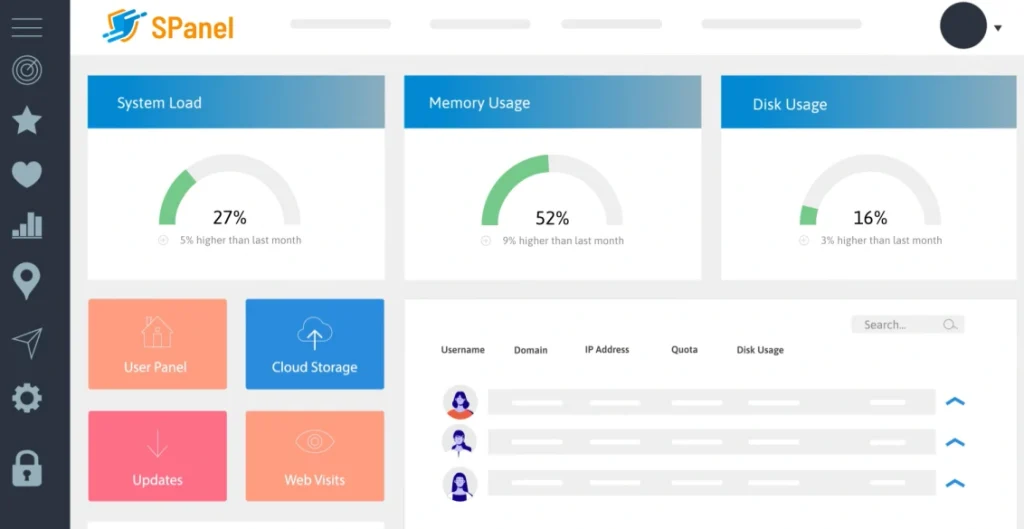
ScalaHosting is a strong Cloudways alternative for users who want managed cloud hosting with more affordable pricing and easier server management. It offers managed VPS hosting with dedicated resources, which gives better control and stability compared to shared hosting environments.
One of the biggest advantages of ScalaHosting is its custom SPanel control panel. Unlike Cloudways, which depends on third-party cloud providers, ScalaHosting gives an all-in-one managed hosting experience with its own infrastructure and management tools.
Best for
- Small business websites
- Growing WordPress blogs
- WooCommerce stores
- Users moving from shared hosting
- Beginners who want managed VPS hosting
Pros
- More affordable than many managed cloud hosts
- Dedicated VPS resources
- Beginner-friendly SPanel dashboard
- Free website migration
- Strong security and daily backups
- Good performance for WordPress websites
Cons
- Fewer data center locations than Cloudways
- Smaller ecosystem compared to major cloud providers
- Advanced developers may prefer more server flexibility
Pricing
ScalaHosting managed cloud VPS plans start at lower pricing ($22.46/mo) than Cloudways, making it a budget-friendly option for users who still want managed cloud hosting features.
To see detailed comparison with ScalaHosting, check this: Cloudways vs ScalaHosting.
4. WP Engine
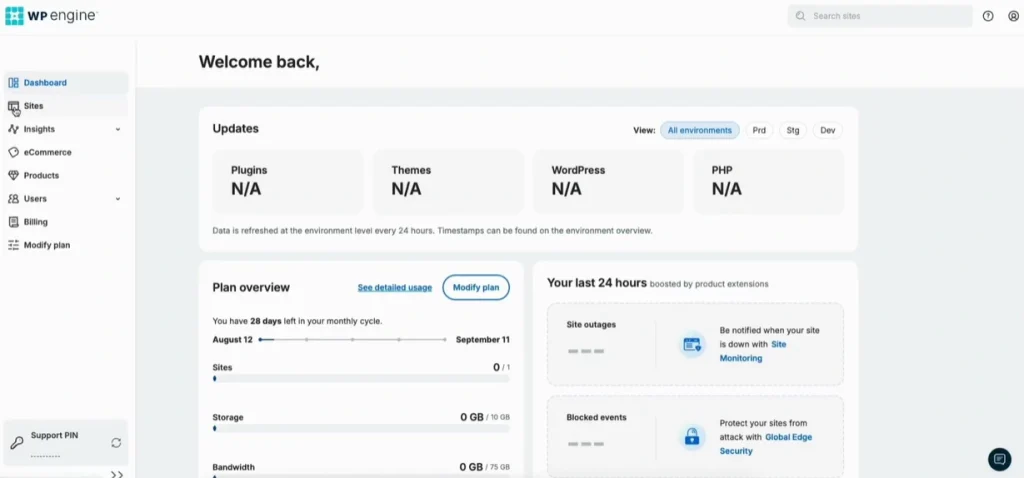
WP Engine is one of the most popular managed WordPress hosting providers and a strong Cloudways alternative for users who want premium performance, security, and support without managing servers themselves.
Compared to Cloudways, WP Engine offers a more polished managed hosting experience focused completely on WordPress websites. It handles caching, backups, updates, security, and performance optimization automatically, which saves a lot of time for website owners and agencies.
Best For
- High-traffic WordPress websites
- WooCommerce stores
- Business websites
- Agencies managing client sites
- Users who want premium managed hosting
Pros
- Excellent WordPress performance
- Strong security and malware protection
- Automatic backups and updates
- Built-in caching and CDN
- Reliable uptime and scalability
- High-quality customer support
Cons
- More expensive than Cloudways
- No money back guarantee
- Only supports WordPress hosting
- Visitor limits on lower plans
Pricing
WP Engine plans start at $27/month for basic websites, with higher-tier plans available for larger businesses and high-traffic sites. WP Engine is more expensive than Cloudways, but you can save on your first purchase with our WP Engine coupon code.
To see detailed comparison with WP Engine, check this: Cloudways vs WP Engine.
5. Hostinger

Hostinger is a popular hosting provider known for affordable pricing and beginner-friendly hosting solutions. It is a good Cloudways alternative for users who want faster hosting with easier management at a much lower cost.
Unlike Cloudways, Hostinger focuses more on simplicity and budget-friendly hosting instead of advanced cloud server management. Its custom hPanel dashboard is easy to use, which makes website management much simpler for beginners and small business owners.
Best For
- Beginners
- Personal blogs
- Small business websites
- Portfolio websites
- Users looking for affordable hosting
Pros
- Very affordable pricing
- Beginner-friendly dashboard
- Good performance for the price
- Free SSL and CDN on many plans
- One-click WordPress installation
- Global data center locations
Cons
- Less advanced server control than Cloudways
- Limited resources on lower plans
- Support quality can vary during peak times
Pricing
Hostinger hosting plans start at $7.99/mo, making it one of the most budget-friendly Cloudways alternatives for beginners and smaller websites.
You can bring the cost down even further with Hostinger’s current discount of up to 93% OFF. See our Hostinger promo code guide for the latest offer and complete discount details.
To see detailed comparison with Hostinger, check this: Cloudways vs Hostinger.
If you want to compare Cloudways with InMotion Hosting then check this: Cloudways vs InMotion Hosting.
Cloudways Alternatives (Use-Case Based)
Each of these solves a specific gap in Cloudways. Pick based on what you actually want to fix, not just features.
If you want something easier to manage
Hostinger makes everything straightforward. You don’t deal with server choices, scaling settings, or extra add-ons just to get basic things working.
Everything is already set up. Hosting, email, and performance basics are handled in one place. It’s a clean shift if Cloudways is too technical for your workflow.
If you want performance without touching anything
Kinsta and WP Engine remove almost all decisions from your side.
You don’t manage servers, caching, or security layers. It’s already optimized. The trade-off is clear though, you pay more and get less flexibility compared to Cloudways.
If you manage multiple WordPress sites
Pressable is built this use case.
Instead of handling each site separately, you get a setup that supports multiple installs smoothly. It fits better for agencies or anyone running several projects at once.
If you still want control but less complexity
ScalaHosting sits closer to Cloudways but removes some friction.
You still get VPS-level control, but without dealing with multiple cloud providers or scattered add-ons. Pricing is also more predictable, which makes long-term planning easier.
Which One Should You Choose?
This isn’t about features. It’s about what you’re trying to fix after leaving Cloudways. If you’re still considering Cloudways instead of switching, a current promotional offer can make its pricing more attractive. See the latest Cloudways hosting deals and coupon discounts before making your decision.
If you’re tired of managing things
- Pick Kinsta or WP Engine
- Everything is handled for you: caching, security, updates
- You lose control, but gain consistency
Kinsta leans more toward raw performance, while WP Engine is stronger for structured workflows and developer tools
If Cloudways is too complex
- Go with Hostinger
- Setup is simple, everything is bundled
- No server-level decisions needed
You sacrifice scalability, but gain ease of use.
If you still want control (but less chaos)
- Choose ScalaHosting
- VPS-level control without juggling multiple cloud providers
- More predictable pricing than Cloudways
This is the closest match if you liked Cloudways but not its complexity.
If you manage multiple sites or clients
- Go with Pressable
- Built for handling multiple WordPress installs
- Better workflow compared to Cloudways
Less control, but smoother multi-site management.
How to Migrate from Cloudways Without Downtime
A clean migration is not just moving files. It’s about avoiding conflicts between old and new setups.
Before migration
- Take full backup (files + database)
- Note PHP version, active plugins, and caching setup
- Disable Cloudways CDN and clear all server-level cache
- Lower DNS TTL to speed up switching
During migration
- Use your new host’s migration tool or a plugin
- Keep your Cloudways site live during the process
- Do not change DNS yet
Test properly before switching
- Use temporary URL or hosts file
- Check homepage, posts, admin login, forms
- Look for broken images or layout issues
Fix common issues
- Run search & replace if domain/URL changes
- Re-save permalinks in WordPress
- Reconfigure caching based on new host (don’t copy Cloudways setup)
Switch without downtime
- Update DNS only after everything works
- Keep Cloudways active for 24–48 hours
- Traffic will move gradually with no interruption
After migration
- Enable CDN and caching on new host
- Set up backups and security
- Check speed difference and fix slow elements if needed
This version avoids the usual mistakes that break sites after migration.
Final Verdict
Cloudways is not a bad hosting platform, but it is definitely not the easiest option for everyone. Many users eventually get tired of dealing with server management, extra configurations, and features that feel more technical than they expected.
If you want something simpler, faster, or easier to manage, there are much better options available now. Kinsta and WP Engine are great for premium managed WordPress hosting, Pressable keeps things simple and beginner-friendly, ScalaHosting gives good value with managed VPS hosting, and Hostinger is a solid choice for affordable cloud hosting.
At the end of the day, the best Cloudways alternative is the one that matches your budget, technical comfort level, and website needs without making hosting feel complicated.
FAQs
Is Cloudways still worth it?
Yes, but only if you actually use the control it gives. If you’re tweaking servers, scaling apps, and know what you’re doing, it makes sense. If not, it starts feeling like extra work.
What’s the easiest switch from Cloudways?
Hostinger. You don’t deal with server choices or add-ons. Everything is already set up, so you just move your site and you’re done.
Which one is faster without tweaking anything?
Kinsta and WP Engine. You don’t have to think about caching or optimization. It just runs fast out of the box.
What if I manage multiple sites?
Pressable fits better. It’s built handling multiple WordPress installs, so things stay organized instead of messy.
Which alternative gives control without Cloudways complexity?
ScalaHosting. You still get control, just without all the moving parts that Cloudways comes with.