
Running a WordPress website in 2026 means you have to take security seriously.
Last year alone, experts found over 11,300 new security flaws in the WordPress world. Around 13,000 WordPress sites get hit with attacks every single day.
One successful attack can steal your data, get your site blacklisted by Google, cause major downtime, and hurt your reputation fast.
The good news? You don’t need to be a security expert. A solid security tool can block most threats automatically and give you real peace of mind. Security plugins are also among the essential WordPress plugins every website should have installed.
In this guide, we look closely at some of the top WordPress security options. You’ll see clear comparisons to help you choose the right one for your site and budget.
How We Selected the Best WordPress Security Plugins
We created this list after checking the five plugins you wanted: Wordfence, Jetpack, All-In-One Security (AIOS), Sucuri Security, and MalCare.
To make the comparison fair and useful, we looked at the exact same points for each one. Here’s what we focused on:
- Core security tools: Firewall protection, malware scanning and cleanup, login safety, two-factor authentication, file change tracking, and activity logs.
- Site speed impact: How much each plugin slows down your website (we looked for light and fast options).
- Ease of use: How simple the dashboard feels for beginners.
- Free vs paid balance: What you get for free and what paid plans add, plus clear pricing.
- Update frequency: How often the plugin gets new updates and stays ahead of threats.
- User numbers and ratings: Active installations and real user ratings on WordPress.org.
- Unique strengths: Special features like cloud scanning, one-click fixes, or extra support.
We took every single detail straight from the official plugin pages, WordPress.org listings, and current pricing pages. This keeps everything accurate and fresh for 2026.
The result? A clear, honest picture of what each plugin really offers, so you can pick the one that fits your site and your budget.
Quick Comparison – Best Security Plugins for WordPress Websites
To make your choice easier, here’s a simple side-by-side look at the five plugins. The table below compares Wordfence, Jetpack, All-In-One Security (AIOS), Sucuri Security, and MalCare on the features that matter most to most site owners.
| Feature | Wordfence | Jetpack | All-In-One Security (AIOS) | Sucuri Security | MalCare |
|---|---|---|---|---|---|
| Active Installations | 5+ million | 3+ million | 1+ million | 600,000+ | 200,000+ |
| WordPress.org Rating | 4.7 stars (4,919 ratings) | 3.8 stars (2,402 ratings) | 5.0 stars (1,500+ ratings) | 4.2 stars (383 ratings) | 4.3 stars (525 ratings) |
| Free Version Available | Yes – strong basic protection | Yes – basic only | Yes – very strong | Yes – good scanning & hardening | Yes – solid 5-layer protection |
| Firewall / WAF | Yes (on-site firewall) | Yes (paid WAF) | Yes | Paid WAF only | Yes (real-time cloud firewall) |
| Malware Scanner | Yes (free with 30-day delay) | Yes (real-time, paid) | Weekly scanning (paid only) | Remote scanning (free) | Deep scanner with AI (free daily scans) |
| Automatic Malware Cleanup | Repair tools only | One-click fixes (paid) | No | Expert cleanup (paid) | One-click automatic cleanup (paid) |
| Login Protection & 2FA | Yes + phone app 2FA | Brute force + optional 2FA | Yes with advanced options | Basic hardening | Yes + 2FA |
| Performance Impact | Low impact even on busy sites | Standard | Very lightweight | Almost zero (cloud-based) | Extremely lightweight (cloud-based) |
| Cloud-based Scanning | No | Partial | No | Yes | Yes |
| Backups | No | Yes (paid, real-time) | No | No | No |
| Activity / Audit Log | Yes (paid) | Yes (paid) | Yes | Yes | Yes (paid) |
| Country / Geo Blocking | Paid | No | Paid | No | Paid |
| Starting Price | $149/year | $119.4/year | $44.50 first year (Renew at $89/year) | $229/year | $99/year |
| Best For | Real-time protection & detailed logs | Security + automatic backups in one place | Beginners & small sites on a budget | Business sites wanting expert cleanup | Fast protection with zero slowdown |
5 Best WordPress Security Plugins in 2026
1. Wordfence
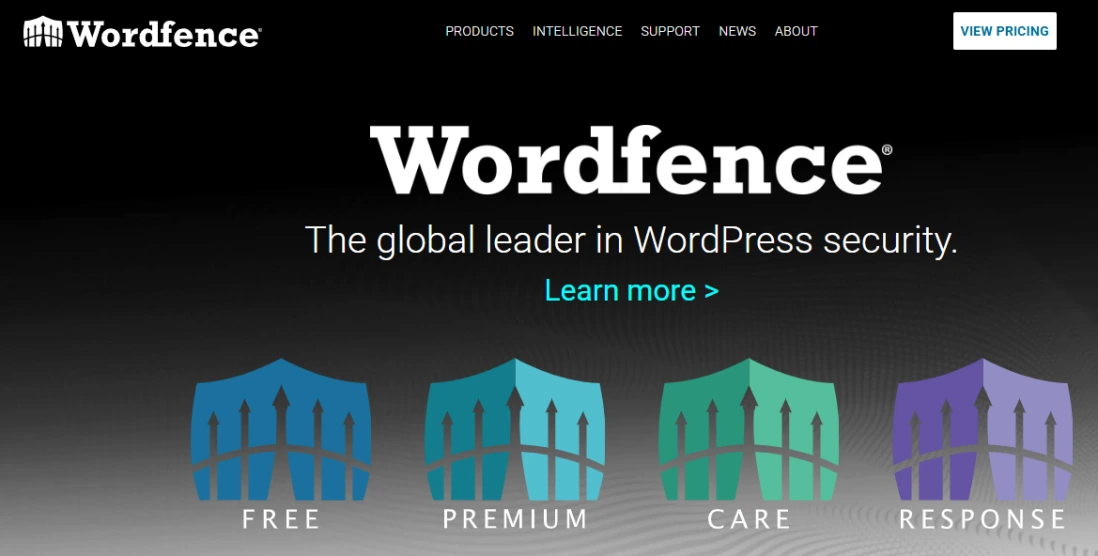
Wordfence is a popular WordPress security plugin that works as both a firewall and a malware scanner. It helps protect sites by blocking bad traffic and spotting problems before they cause damage. More than 5 million sites use it right now, and it has a strong 4.7-star rating from thousands of users.
The plugin comes with tools that watch for attacks in real time on paid plans. On the free plan, some updates arrive after a 30-day delay. It focuses only on WordPress security and uses its own research team to stay ahead of new threats.
Key Features
- WordPress firewall that blocks malicious traffic right at your site
- Malware scanner that checks core files, themes, plugins, posts, and comments
- Login security with two-factor authentication (2FA) using phone apps
- Live traffic view to see visitors, bots, and hack attempts as they happen
- IP blocking and advanced rules to stop attackers
- Wordfence Central dashboard to manage multiple sites from one place
- Security audit log to track changes (available on paid plans)
- Country blocking option (available on paid plans)
Pros
- Very popular with over 5 million active installs and strong user ratings
- Blocks a huge number of attacks every day across its network
- Free central management tool for all sites, even on the free plan
- Deep integration with WordPress that cannot be bypassed easily
- Offers repair tools to fix changed files with clean versions
- Supports multi-site setups and works on high-traffic sites without major slowdowns
- Regular updates from a dedicated WordPress-only research team
Cons
- Free version delays firewall rules and malware signatures by 30 days
- No real-time IP blocklist or country blocking on the free plan
- Audit log and advanced support only come with paid plans
- Free plan support is limited to volunteer forums
- Higher plans get more hands-on help but cost more
Pricing
Wordfence offers a completely free version with basic protection. Paid plans are yearly only:
- Premium: $149 per year – gives real-time rules, real-time signatures, IP blocklist, and ticket-based support.
- Care: $590 per year – includes everything in Premium plus hands-on analyst support, yearly security audit, monitoring, and malware cleanup.
- Response: $1,250 per year – includes everything in Care plus 24/7 incident response with 1-hour reply time and full post-incident help.
No monthly options are listed. Upgrading from free is simple by adding a license key. No refund policy details appear on the pricing page.
Best for
- Entry-level sites that need basic WordPress security (free plan)
- Self-managed websites that want the strongest real-time protection without extra help (Premium plan)
- Busy business owners who want a dedicated analyst to handle security tasks (Care plan)
- Mission-critical sites that need fast 24/7 expert response during attacks (Response plan)
2. Jetpack

Jetpack is an all-in-one WordPress plugin that brings together security tools, backups, speed features, and growth options in a single package. It is active on more than 3 million websites and holds a 3.8-star rating from over 2,400 user reviews.
The plugin gives you basic protection right away without paying anything. For stronger defense, you upgrade to paid plans that add real-time backups, malware scanning, a website firewall, and spam blocking. Jetpack connects to a free WordPress.com account and is built to make site protection feel simple and automatic.
It focuses on keeping threats away while also helping you restore your site quickly if something goes wrong.
Key Features
- Brute force attack protection to block repeated login attempts
- Downtime and uptime monitoring with instant email alerts
- Web Application Firewall (WAF) that checks incoming traffic
- Real-time malware scanning with one-click fixes
- Real-time cloud backups and one-click restores
- Akismet spam protection for comments and forms
- Activity log to track every change on your site
- Secure login with optional two-factor authentication (2FA)
Pros
- All security and backup tools live inside one plugin
- Real-time backups and easy one-click fixes
- Beginner-friendly setup with clear instructions
- Trusted by millions of WordPress sites
- Regular updates from the company behind WordPress.com
Cons
- Most advanced security tools like malware scans and full backups are only in paid plans
- Current 3.8-star rating is lower than many security-only plugins
- Requires a WordPress.com account connection to work
- Can feel packed with extra features you might not use
Pricing
Jetpack has a completely free version that includes basic security features such as brute force protection and simple monitoring.
Paid plans are billed yearly with big first-year discounts (prices shown in Euros and may vary by location):
- Security Plan: $9.95 per month (first year) – includes real-time backups (10GB), malware scanning, Web Application Firewall, Akismet spam protection, activity log, and one-click fixes.
- Complete Plan: $24.95 per month (first year) – includes everything in the Security Plan plus 1TB storage and many extra tools.
A separate Backup-only plan is also available at $4.95 per month (first year).
Best for
- Users who want security together with automatic backups and performance tools in one place
- Beginners who prefer a simple all-in-one solution instead of several separate plugins
- Site owners who like real-time protection and easy one-click restores
- Anyone comfortable connecting their site to WordPress.com services
3. All-In-One Security (AIOS)
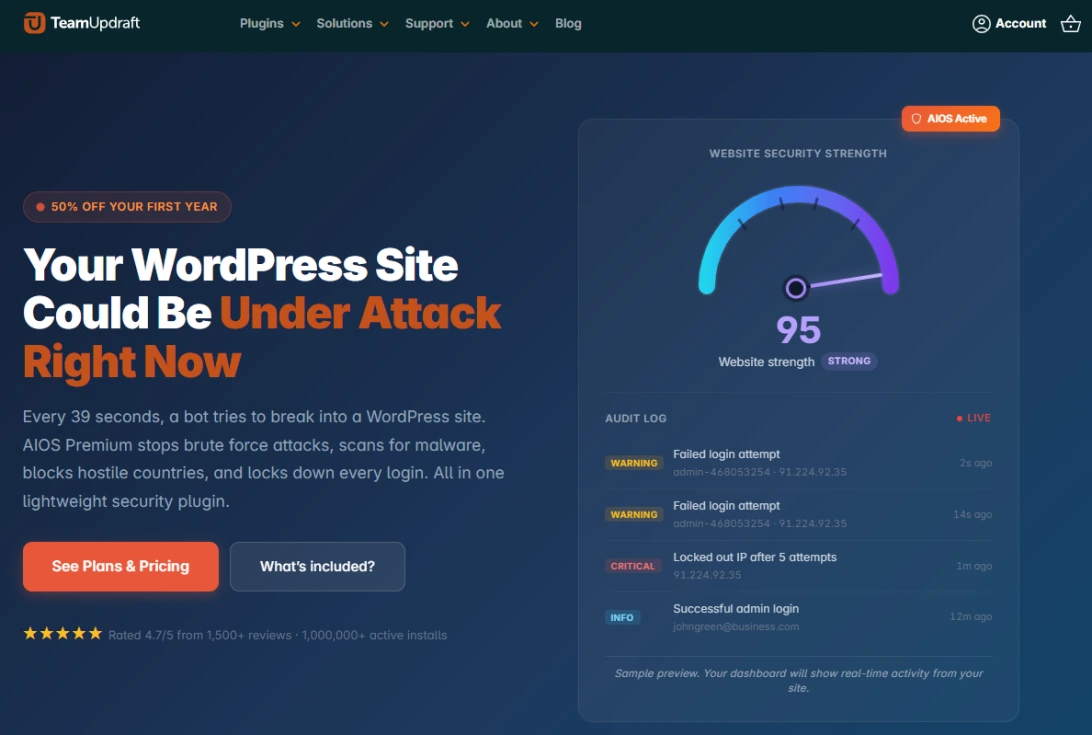
All-In-One Security (AIOS) is a comprehensive WordPress security plugin that gives your site strong protection. It is used on over 1 million active installations and holds a perfect 5/5 star rating from more than 1,500 reviews. The plugin is built by the same team that created UpdraftPlus, so it brings the same trusted quality to security.
The free version already includes many useful tools right away. You get a handy security meter that shows your protection score and tells you exactly what to improve. It also covers login protection, firewall rules, spam blocking, and file change alerts.
Premium plans add more advanced options such as weekly malware scans, country blocking, and smarter two-factor authentication. The whole setup is designed to make security simple for everyday users.
Key Features
- Firewall with PHP, .htaccess, and 6G rules
- Security meter that gives your site a score and improvement tips
- Login lockout rules and brute force protection
- Two-factor authentication with extra customization options
- Spam prevention by automatically blocking suspicious IP addresses
- Audit log to track changes on your site
- File and database security checks with one-click fixes
- Weekly malware scanning, country blocking, and 404 error blocking (premium only)
Pros
- Strong free version packed with useful tools
- Easy-to-read security meter that shows clear next steps
- Made by a well-known and trusted WordPress team
- Lightweight design that keeps your site running smoothly
- Helpful support and regular updates
Cons
- Many advanced tools like malware scanning and country blocking are only in paid plans
- Each paid plan limits the number of sites you can protect
- Yearly billing only with no monthly option
Pricing
All-In-One Security (AIOS) has a completely free version with core protection features.
Paid premium plans are yearly subscriptions with a lower price in the first year:
- Personal (up to 2 sites): $44.50 first year, then $89 per year
- Business (up to 10 sites): $74.50 first year, then $149 per year
- Agency (up to 35 sites): $124.50 first year, then $249 per year
- Enterprise (unlimited sites): $174.50 first year, then $349 per year
Every premium plan includes 12 months of updates and a 10-day money-back guarantee if issues cannot be fixed.
Best for
- Beginners and small site owners who want easy security tools
- Users who like seeing a clear score and simple improvement steps
- Anyone looking for a strong free option with affordable upgrades later
- Multi-site owners who need plans that cover several websites
4. Sucuri Security

Sucuri Security is a trusted WordPress security plugin that focuses on auditing, malware scanning, and site hardening. It is actively used on more than 600,000 websites and holds a 4.2 out of 5 star rating from 383 reviews on WordPress.org.
The free version gives you useful tools such as file integrity monitoring, remote malware scanning through SiteCheck, blocklist checks, and security hardening steps. Because scans run remotely from Sucuri’s servers, the plugin stays very lightweight and does not slow down your site.
For complete protection you can connect the plugin to Sucuri’s paid Platform plans. These add a full Web Application Firewall, expert malware removal, and faster response times.
Key Features
- Security activity auditing and event logging
- File integrity monitoring to catch unauthorized changes
- Remote malware scanning using SiteCheck
- Blocklist monitoring across major services
- Security hardening tools with .htaccess rules
- Post-hack recovery tools including password resets and key changes
- Customizable email alerts for suspicious activity
- Web Application Firewall (WAF) and expert malware cleanup (paid plans only)
Pros
- Strong set of tools available completely free
- Lightweight design with almost no impact on site speed
- Remote scanning keeps your server resources free
- Helpful post-hack recovery steps included in the free version
- Backed by a professional security team with real cleanup experience
Cons
- Full firewall protection and real-time blocking only come with paid plans
- Expert malware removal and fast response times require an upgrade
- Paid plans start at a higher yearly price than some other options
- Free version support is limited to community forums
Pricing
The Sucuri Security plugin is completely free to download and use from WordPress.org with no subscription needed for the core tools.
Advanced protection comes through Sucuri Platform plans (billed yearly):
- Basic Platform: $229 per year (1 site) – includes WAF, unlimited expert malware removals, and 30-hour SLA
- Pro Platform: $339 per year (1 site) – faster 12-hour SLA and more frequent scans
- Business Platform: $549 per year (1 site) – 6-hour SLA with scans every 30 minutes
- Junior Dev: $999.98 per year (5 sites) – suitable for agencies
- Multi-site and custom plans available on request
All paid plans include a 30-day guarantee.
Best for
- Site owners who want solid free scanning and hardening tools
- Users who prefer a lightweight plugin that runs most work remotely
- Business sites that need expert malware cleanup and firewall protection
- Anyone who wants the option of professional help if their site gets hacked
5. MalCare

MalCare is a modern WordPress security plugin that keeps your site safe without slowing it down. It is actively used on more than 200,000 websites and holds a 4.3 out of 5 star rating from 525 reviews.
Most of the heavy scanning and threat detection work runs on MalCare’s own cloud servers instead of your website. This design helps your site stay fast even while getting full protection.
The plugin starts with five free layers of security including a firewall, malware scanner, login protection, vulnerability alerts, and atomic security. Paid plans add instant one-click malware cleanup, advanced firewall rules, bot protection, and more.
Key Features
- Real-time Web Application Firewall with 200+ built-in rules that update instantly
- Deep malware scanner with AI analysis and automatic daily scans
- One-click automatic malware cleanup
- Login protection with brute force defense and two-factor authentication
- Vulnerability scanner that sends instant alerts for risky plugins and themes
- Geo-blocking and advanced bot protection
- Activity log to track every change on your site
- Cloud-based scanning that puts almost zero load on your server
Pros
- Extremely lightweight and does not slow down your website
- Strong free version that already includes daily scans and basic firewall
- Simple one-click malware removal in paid plans
- Easy setup with automatic configuration
- Trusted by developers, agencies, and large companies
Cons
- Most advanced tools like detailed activity logs, geo-blocking, and more frequent scans are only in paid plans
- Free plan works on only one website
- Yearly pricing can feel higher than some other options when you protect multiple sites
Pricing
MalCare has a completely free plan with core protection features.
All paid plans are billed yearly and come with a 60% discount in the first year:
- Protect Plan: $99 per year (1 site) or $299 per year (5 sites)
- Repair Plan: $299 per year (1 site) or $899 per year (5 sites)
- Fortify Plan: $499 per year (1 site) or $1,499 per year (5 sites)
Every paid plan includes a 14-day money-back guarantee. However, no refund is available if MalCare has already cleaned malware from your site. You can cancel anytime with no extra fees.
Best for
- Site owners who want strong security without any slowdown
- Users who prefer simple one-click malware removal
- Beginners and busy website owners looking for set-and-forget protection
- Agencies or developers managing multiple sites (with multi-site bundles)
Which WordPress Security Plugin Should You Choose?
Choosing the right plugin depends on your site size, budget, and what you need most. Here’s a quick, clear guide to help you decide in seconds.
Best for strong free protection
- Wordfence or All-In-One Security (AIOS): Both give you solid tools right away. Wordfence offers real-time blocking and detailed logs on the free plan. AIOS gives you a clear security score and lots of free settings.
Best for zero slowdown on busy sites
- MalCare or Sucuri Security: These run most work in the cloud, so your site stays fast. MalCare adds easy one-click cleanup. Sucuri offers expert help if anything goes wrong.
Best for beginners on a tight budget
- All-In-One Security (AIOS): It has a very strong free version, an easy security meter, and low upgrade prices. Perfect if you’re just starting out.
Best if you want security plus automatic backups
- Jetpack: It combines protection with real-time WordPress backups and one-click restores in one simple package.
Best for business or high-traffic sites
- Sucuri Security (paid) or Wordfence (paid): These give expert cleanup, fast response times, and strong firewalls that handle lots of visitors without trouble.
FAQs
Is Wordfence better than Sucuri?
Wordfence gives you stronger free protection and real-time blocking right on your server, while Sucuri shines with cloud-based firewall and expert cleanup in paid plans. Most users pick Wordfence for everyday sites and Sucuri when they want professional help after a hack.
Which is the best free WordPress security plugin?
All-In-One Security (AIOS) and Wordfence both offer excellent free tools. AIOS wins for beginners with its easy security score meter, while Wordfence is better if you want a powerful firewall and live traffic view without paying.
Do security plugins slow down my site?
Most modern plugins like MalCare and Sucuri run scans in the cloud so your site stays fast. Wordfence and Jetpack can add a tiny bit of load on very busy sites, but all five plugins here are designed to keep performance high. For more ways to optimize speed, check our guide on speeding up your WordPress website.
Can I use more than one security plugin?
It is usually not recommended because two firewalls or scanners can conflict and slow your site. Pick just one from this list and add Cloudflare for extra protection if you want.
Is Jetpack enough for security?
Jetpack works well if you already use its other tools like backups and speed features. For pure security focus, Wordfence, MalCare, or AIOS usually give more targeted protection.
Do I still need a security plugin if I use Cloudflare?
Yes. Cloudflare handles DDoS and basic traffic filtering, but a WordPress-specific plugin like MalCare or Wordfence adds malware scanning, login protection, and file integrity checks that Cloudflare cannot do.
Is MalCare better than Wordfence?
MalCare is lighter on your server and offers one-click malware cleanup, which many users love. Wordfence gives more free features and better live traffic logs. Choose MalCare if speed matters most to you.
How often should I scan for malware?
Daily automatic scans are ideal. MalCare, Wordfence, and Sucuri all offer scheduled scans so you don’t have to remember to run them yourself.
Which WordPress security plugin is best in 2026?
It depends on your needs. Wordfence leads for most users because of its balance of free power and real-time tools. MalCare is the top pick for zero slowdown, and AIOS wins for beginners on a budget.
Conclusion
Protecting your WordPress site is one of the smartest things you can do right now. For additional best practices beyond plugins, see our guide to increasing the security of your WordPress website.
Out of the five plugins we looked at, Wordfence, Jetpack, All-In-One Security (AIOS), Sucuri Security, and MalCare, each one offers solid tools to keep threats away. The best choice simply depends on your budget and what matters most to you.
Pick the one that fits your needs, install it today, and turn on the key features. A few minutes of your time can save you from big problems later.
We are currently not secure on any online platform. Hackers play with your information all the time. They can hack anyone’s data at any moment. So we should make all types of accounts more secure.
Hi, I also recommend Hide My WP Ghost as a free security plugin with many features for security. You can find it on the WordPress directory.
Great article … I really like the details.
All the plugins are awesome. I am impressed.
Nicely written list. I usually used Wordfence on all my sites. Apart from Wordfence, I also use hide my wp & Loginizer to prevent unwanted login requests. Thanks…
Thanks for sharing your thoughts on this article!
Informative blog! Thanks for sharing it.